Category: Study Methods

  • Using Zotero as a Robust Research Manager

    Using Zotero as a Robust Research Manager

    Recently a friend of mine posted about losing his entire research library in OneNote, which brought flashbacks to losing my entire research library many years ago in the Endnote 7 to X upgrade.
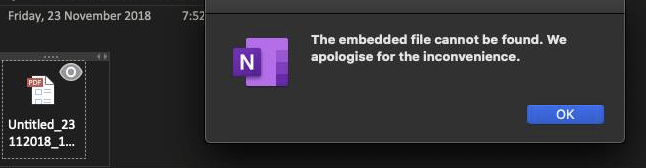
    You never want to see this.

    As such I am using this as an opportunity to briefly review my own research and backup practices, and run through how I use Zotero as a cloud synced, constantly backed up, and ultimately human readable research manager.

    Zotero

    Firstly, I have posted about Zotero a few times now, so there are more details in those posts. All available here: http://www.porterblepeople.com/tag/zotero/

    Zotero functions as the heart of the system and is used to make access to your research library quick and easy. But it is not the only part of the system and requires other aspects to function effectively. As I go into in one of my other posts the Zotero cloud storage capacity leaves a bit to be desired, so I store all of my PDFs in Dropbox. Zotero makes it easy to rename all the files easily and keep soft-links to the database.

    Zotero also allows you to keep notes with your documents, and those notes are indexable.
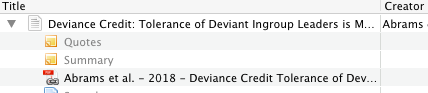
    Notes attached to a journal article.

    Those notes are also synchronised across devices using the Zotero cloud, and as raw text they take up very little space, so no worries there.

    Zotero Export (BibTeX)

    However, on its own Zotero isn’t great for being human readable. The last thing you want is for a service to decide that they are wrapping up and then you lose access to all your notes taken in that platform. I have had this happen with old OneNote, and seen it happen plenty of times with other platforms.

    Mercifully in the research manager world there is an open-source standard called BibTeX. Now BibTeX is usually used to generate references for LaTeX. If you are a LaTeX user then this is great (and this post is unlikely to be news to you) but for anyone else who doesn’t use LaTeX then this aspect is likely to be somewhat moot. Rather we are interested in the fact that it generates a plain-text human-readable export of your database. In the event of your software being withdrawn or rendered inoperable by something (e.g. 64bit upgrades) then you will always have all of your research entries and notes in plain text.
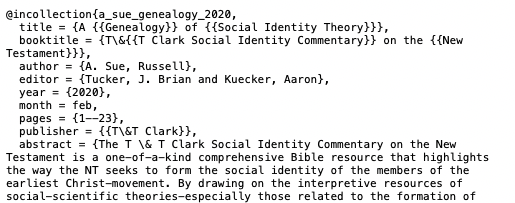
    BibTeX output from Zotero

    I will be the first to admit that it isn’t particularly pretty, but it is human readable and that is what matters. Plus it is entirely likely that someone out there will have written a converter to other platforms or software that uses BibTeX as an intermediary step, and therefore you can restore your data somewhere else. Absolute worst outcome is that you can still read your data without having to deal with a closed software format (and you could always learn LaTeX and keep using it).

    To do this Zotero needs a little plugin called BetterBibTeX, which I cover in this post: http://www.porterblepeople.com/2015/06/zotero-addons-extensions/ In that plugin you can export your library (File>Export Library…) and just check the “Keep Updated” box on export. I store my library in my Dropbox folder so that it is always cloud synced.

    Dropbox

    I use Dropbox as my cloud storage of choice, but most cloud storage will work well enough. I quite like Dropbox though as it also offers snapshots and the ability to roll back and restore files. Anything you use for cloud storage should offer those, in case you accidentally delete an entire directory. But if the cloud storage you choose offers the ability to roll back or undelete files, then use that.

    Fin

    That is it. Expecting more? It is a rather simple and robust backup system for a research library. I have had a hard drive die on my laptop before and it was annoying (downtime) but all of the data was restorable quickly and easily (being on 3G made it a bit slower). I was back up and running again in about 8 hours.

    tl;dr? Critical things: keep your files backed up, and your research database exported in a human readable format.

    Appendix A

    As some friends have pointed out using a cloud service as a backup is only one layer of redundancy, and may not save you. Especially if you have sync conflicts or longer offline periods. However, in this I am aiming for a balance of automation and simplicity, as complexity often introduces barriers to adoption of new practices.

    Personally I have Dropbox setup for constant sync which keeps my 3 machines synced, plus Time Machine backing up to a local server, and that doing a nightly rsync to my US server, and I also take a portable HDD into work that is on monthly rotation. Paranoid? No, I worked for a couple of unis in support roles and have seen first hand the devastating effects of losing research too many times. But it is a lot more to setup than a cloud service.

  • Tapping into my inner Luddite – Why I am returning to pen and paper for planning.

    Tapping into my inner Luddite – Why I am returning to pen and paper for planning.

    If you have been following this blog then you will know that I am no technological luddite, with many of the most viewed posts dealing with Zotero, Scrivener and other computer based writing management software.

    However, recently things have been changing, although perhaps not for the reasons that first come to mind. Perhaps a bit of background is appropriate though. Like many others my age, I grew up with the burgeoning computer period, but before they become so ubiquitous that we walk around with more processing power than Apollo in our pockets. Being in this liminal space means a few things. Firstly, it means that while I have had a long string of computerised assistive devices, I originally learnt to do most things without them. Secondly, I remember how annoying some physical processes were before the rise of easy digitisation, gone are reams of paper, and in comes the iPad. Finally, I also spent a lot of time at a computer without any particularly good OH&S advice.

    It is this last aspect that has been one for me of the driving forces towards digitisation over paper technologies. I have RSI and carpal tunnel in one hand, and as a result don’t write a huge amount, and therefore have exceedingly bad handwriting. Amusingly though it is also this aspect that recently I have found myself benefiting from. Simply put, when i want to scribble something down it takes effort, and that effort means that I think things through a bit more thoroughly. So when I am putting things in my diary, or making plans for different things, the extra effort actually helps in making good decisions or proper planning. I have written in the past about how this relates to students using higher cognitive load methods for note taking (see here for that post), but this is taking the same mechanism in a new direction.

    Therefore, this year–for the first time in about 10 years–I have bought myself a paper diary. While it is a pretty spiffy paper diary, and with all sorts of other advantages, it has really been helping me to pare back what I want to record and what I am planning to do. Now I still use my digital calendar for meeting reminders, and other things like that, but as a planner this mechanism seems to be far more effective for me at the moment.

    The planner I have decided to use is the Ink+Volt Planner (I backed it on Kickstarter) that has a few spiffy features, but one of the best is that each day is just split into three sections of time. This minimisation of the number of things you can cram into a period of time really helps with planning and execution of the things to do in a day. Note: this feature can also be implemented in other planners with a ruler and sharpie to limit the amount of space you have to write in, so give it a go and see what you think.

    Im interested if anyone else is experiencing the digital fatigue, and returning to pen and paper as well. Please comment below. Ill blog in the future about what using a pen and pad has done for my conference notes.

    Or perhaps I am just becoming a luddite hipster… after all I have rediscovered my vinyl collection too.

  • Zotero++ Addons and Extensions

    Zotero++ Addons and Extensions

    For a while now I have had some minor annoyances with Zotero and how it integrates with Scrivener. A lot of it has to do with needing to use Word for the final output stage as the RTFScan in Zotero gives you very few other options.

    One of the problems here is that the Zotero shortcode referencing for these two citations looks the same:

    Dunn, James D. G. “John and the Oral Gospel Tradition.” Jesus and the Oral Gospel Tradition. Edited by Henry Wansbrough. Journal for the Study of the New Testament 64. Sheffield: JSOT, 1991.
    ———. The Partings of the Ways: Between Christianity and Judaism and Their Significance for the Character of Christianity. London : Philadelphia, Pa: SCM Press ; Trinity Press International, 1991.

    They both are cited as {Dunn, 1991} which leads to odd shortcodes such as {Dunn-Partings, 1991} etc.

    Well this morning I found a very neat option to do away with both the RTF Scan output, and therefore Word, and also to further differentiate citations. It also integrates Scrivener and Zotero with LaTeX, which will help with odd formatting and improve the output (as you don’t have Word messing about with all your nice formatting output from Scrivener).

    The core of this method comes from the Better BibTeX portion of the Zotero++ project: https://zotplus.github.io/better-bibtex/index.html

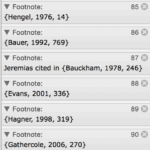
    This allows Zotero to integrate seamlessly with BibTeX and therefore allow you to export from Scrivener using the LaTeX markdown. This allows you to use nice Citekeys, which look like this: [#dunn_partings_1991] Those Citekeys are unique when exported from Zotero++ and so no more confusion of references.

    Tim Brandes has a good explanation of how to use Scrivener with MMD and BibTeX over here: http://timbrandes.com/blog/2012/02/28/howto-write-your-thesis-in-latex-using-scrivener-2-multimarkdown-3-and-bibdesk/

    In the next little while I will be experimenting with how it all works together, and will write somewhat of a guide for it. But from what I can tell it should all work well.


    In addition the Zotero++ project also hosts a few other neat plugins, such as AutoIndex that will regularly re-index your Zotero library keeping it all nicely up to date. Go check the site out.

  • Exhaustion is Not a Status Symbol

    Exhaustion is Not a Status Symbol

    Came across this helpful article today that reflects on some of the topics covered in the skills series. http://www.washingtonpost.com/national/exhaustion-is-not-a-status-symbol/2012/10/02/19d27aa8-0cba-11e2-bb5e-492c0d30bff6_story.html

    In this interview with researcher Brené Brown, she looks at some of the outcome from her research on leadership and busyness, and has some great insight into some of the processes behind our obsession with work.

    Let me quote briefly from the article, Brown writes:

    ‘Crazy-busy’ is a great armor, it’s a great way for numbing. What a lot of us do is that we stay so busy, and so out in front of our life, that the truth of how we’re feeling and what we really need can’t catch up with us.

    and pertinent to the last blog post in our series:

    One of the things that I found was the importance of rest and play, and the willingness to let go of exhaustion as a status symbol and productivity as self-worth. A lot of people told me that when they put their work away and when they try to be still and be with family, sometimes they feel like they’re coming out of their skins. They’re thinking of everything they’re not doing, and they’re not used to that pace.

    Do go read the article, here is the link again: http://www.washingtonpost.com/national/exhaustion-is-not-a-status-symbol/2012/10/02/19d27aa8-0cba-11e2-bb5e-492c0d30bff6_story.html

    It is a really helpful reflection.

    H/T Shane Rogerson.

  • Have a Break have a… – Exercise and Rest

    Have a Break have a… – Exercise and Rest

    exhaustedToday we have come to the final post in this seven weeks series on study skills and methods, and just as God rested on the seventh day in Genesis, so too this post will cover rest… and a couple of other things. While in many ways this post at the end may seem somewhat superfluous and unnecessary, I think there is something useful and cathartic about deliberately considering rest. In my mind there are a few ways to rest, but most of us fall into the method of collapsing at the end of a busy day or a busy week and just attempting to be comatose. Although this is restful in some ways, actually deliberately resting can be far more rejuvenating when all is said and done.

    driedupspongebobWhen talking about rest and relaxation I commonly use the analogy of a sponge. Now a sponge will work for quite a long while absorbing water and then being squeezed out while drying things off, or cleaning up messes. However, leave a sponge around for too long without giving it a good soak and it will dry out completely. Once that happens it will take a lot longer for the sponge to re-absorb liquid again and go back to doing its job as a sponge. Ultimately we as humans are a bit like sponges, we can function for a very long time absorbing, and being squeezed out. But if we get exhausted and dry out too much, then it takes a much longer period of rest to rejuvenate us.

    So in this post I want to cover two aspects of resting: Exercise and Rest.

    Exercise

    Hold on, exercise doesn’t sound a lot like resting, it sounds like work just rephrased differently. Well yes, that is one way of looking at exercise, but in many ways it complements our modern lifestyle by contributing to our rest in different ways.

    Happy-recharge-completeIn our modern lives the majority of us will fall into a sedentary lifestyle, where sitting for long hours at a desk or table, interspersed only with short walks to the coffee machine or lunch spot. While this has a whole host of biomechanical woes attached to it, one of the eventual issues is that we end up with sore achey bodies from forcing them to engage in postures and a lifestyle that they are not accustomed to. This is further exacerbated by beign engaged in an academic field, as a lot of the time our work comes home with us. In this vein it is important that we engage in regular exercise, even if it is only heading out for a 30minute walk a day. Perhaps it might be useful to get a pedometer and count your steps, or get involved in a Corporate Cup if your institution has one. But getting out for some exercise every day is important, especially for our hyper-sedentary lifestyles.

    But there is a double benefit of exercise. When we exercise our bodies produce a whole bunch of hormones and chemicals, one of these come under the category of endorphins. Now endorphins are what gives you that nice happy glow after going for a run or playing sport. That even when half your body is aching and you are hot and sore you still feel like it was worthwhile. However, that is only a small part of what endorphins do in our bodies. There are studies that strongly suggest that endorphins, and therefore exercise, is useful in managing stress, and even thinking clearly. So the next time you are stuck on a problem down in the basement of your lab (like where I used to work), then head out for a run. Your body and mind will thank you for it.

    Resting

    lgpp31639i-could-lay-here-for-the-rest-of-my-life-snoopy-posterNow onto resting, and I bet you are thinking ‘Ahhh… time to collapse on the couch.’ Well yes, but only partially. One of the traps that I think we have in the modern world, and that is exacerbated in academia, is our constant connection to our work. While many people can go home and even if they may still be thinking about work, and checking their emails, they may not have the ability to do their work at home. For us though in an academic field we can always be connected to our work, and that is often why we do it. We are prone to waking up in the middle of the night with the answer to a question, or pondering the problems in our research for days on end. Lets face it, it is enjoyable. But it isn’t really rest. I think often we need to deliberately put our work aside from the foreground of our mind, and actively rest and focus on other things. We need to break that continual connection we have. Those resounding dings of emails arriving and scurrying off to check what needs to be done. I want to suggest two ways that we can help ourselves deliberately rest.

    Regularity not Immediacy.

    The first way we can rest better actually starts at work, or in our place of study. Many of us have fallen into the pattern of responding to things immediately as they come up. When an email arrives we feel almost compelled to check it and see what it is. Our email check frequency has gone from 1hr to 15mins and now to Push, so that we can know about something as soon as it arrives. But this pattern continues throughout our lives, and not just at work. When the phone buzzes in our pocket or bag, we instantly check what it was.  One way that we can mitigate this trend is to simply check our emails less.

    One push for this is the #2pmProject, where they advocate for only checking your email once a day at 2pm once you are back from lunch. Deal with it all then and close the email client. Now this likely wont work for everyone, and certainly doesnt work for me. But personally I have switched to only checking my email on the top of the hour. That way I still work through my emails regularly, but they don’t pop up every instant. The NY Times has a good article on this trend here: http://www.nytimes.com/2014/08/29/opinion/end-the-tyranny-of-24-7-email.html?_r=0 and I encourage you to read it. The freedom from having to respond to things immediately ultimately helps us rest better.

    Sabbath Rest

    The second way we can rest better is to simply set time aside to rest. The concept of a day of rest is nothing new, in fact the Israelites enshrined it in the commandments way back in Sinai. But really how often do we practice it. Even if we do have a lazy day in the park, how often are we checking our emails or social media to see whether there is something better to do or something that we are missing out on? One way that I think we can rest better is to engage in a Sabbath rest of sorts. A few years ago some people got together, and inspired by their Jewish heritage and faith, they formed The Sabbath Manifesto (http://www.sabbathmanifesto.org/). They have distilled their resting ideals down into 10 principles, and encourage liberal freedom within those. I think that this is a good response to our hectic lifestyles. The active setting aside of our busy lives and resting.

    But the question is what does that look like for us? Personally I try to spend Sundays after church with friends and just hanging out socially. Thinking a bit less about my work, but also trying to steer clear of social media altogether. Taking life for what is is and resting. For others I know it involves turning the phone off for an entire day, or putting it in a box at home, as a physical disconnect. This type of deliberate resting is actually more energising than the slumping on the couch, and helps you recharge a lot better. The Art of Manliness blog has a series of suggestions on it here: http://www.artofmanliness.com/2014/05/20/tech-sabbath/ Whatever you do I encourage you to be deliberate about it. Deliberate resting is far more edifying and recharging than haphazard slumping on the couch (deliberate slumping is good though).

    Well that’s the end of this series. It is time for this author to do a bit of resting. Tell me how you rest below.

  • How To Get Those Thoughts Out – Writing with Scrivener and Scapple

    How To Get Those Thoughts Out – Writing with Scrivener and Scapple

    Monk scribe has written ornate letter 'S' which turns into 'Sod this for a lark!!'The final stage of the research process is usually synthesis, where ideas and concepts come together in a new form. But those syntheses rarely meet their goals if they are simply stored in your head. While there are many blockers in the writing process, from cognitive blocks to research issues, the software in your toolkit for writing should never be a block at all. I know many people who use simple word processors, like Word or Pages, for this process. But they can be buggy, and there is a better way. Here are the tools in my toolkit for writing: Scrivener and Scapple.

    Scrivener and Scapple fill slightly different roles in the synthesis process. While Scrivener is a full featured writing tool, Scapple is a small lightweight mind mapping tool that lets you set out your thoughts quickly and easily. They are both cross-platform (Win/Mac/Linux [unpolished]), and have a generous trial period.

    Scapple

    Scapple is a quick mind mapping tool, and has been one that I been wanting for quite a few years now. In the early days of my research career, I coded up a quick mindmap tool based on a Computer Science FSA assignment I had to do in my final year. That tool was ugly, clunky, and was really a kludge. Scapple is the opposite of this. It is quick and easy to use, just double clicking on the panel allows you to create a node. Dragging nodes on top of each other allows for connections. In the words of Queensland Rail: ‘Super Simple Stuff.’ Like Briss that I talked about a few posts ago, Scapple has one purpose in mind, and it does it admirably.

    Once your mind map is complete, you can easily export it to PDF, PNG or a host of other formats for later reference on devices that don’t have Scapple installed. In addition once you are at this stage you can also export it to an OPML file ready for import into Scrivener with your synthesis outline already complete. I find Scapple an invaluable tool for mind mapping, and one of the easiest tools I have used for this task. Plus it has to easily take the prize for the best price:performance ratio.

    Scrivener

    Onto Scrivener then. While Word and Pages, and other single document editors, may do their job for shorter pieces, they tend to be rather buggy once the file size increases. Word especially, as its method of storing the material, plus formatting, plus recent changes, plus tracked changed etc etc is prone to errors. As the document gets longer these get exponentially worse, and so for a 3000 word term paper Word is generally fine, but for a 20,000 word report, or a 90,000 word thesis, it is unacceptable.

    One solution to this is to use a markup language, such as LaTeX, which I used for the majority of my Eng, Math and Psych papers. LaTeX is word processor agnostic, just using simple text files for its input, so you can edit it in anything. However, where LaTeX is excellent for rendering complex mathematical formulae, and modifying markup for export, it is not the easiest method to use. Occasionally I have had students and peers, especially in Psych, object that they aren’t computer programmers when being asked to write in TeX. The plethora of { \$ and many other codes makes it hard to learn for those who are mainly interested in text based writing.

    This is where Scrivener comes in, and more. At one level Scrivener is a full featured writing device, which allows you to write easily and in a format that you are used to. But at another level it has a powerful refactoring export system, similar to working with markup languages. At yet another level Scrivener works as a consolidated research tool, allowing you to put thoughts together before writing. Another level again Scrivener allows for easy chapter and section management, letting you streamline your argument in the synthesis process. Finally, for our purposes, at a system level, Scrivener separates out its sections to different files, reducing the chances of file corruption as the document gets larger.

    Personally I use Scrivener for almost all of my writing, be that this blog that you can see in the screenshot above, through to my conference papers, and now this new PhD thesis I am starting work on. I generally only export to Word for sharing the documents with proofreaders who don’t have Scrivener, or for final delivery. While there are many features of Scrivener that make it much easier to use than Word or other writing tools, I will quickly go through some of my favourites.

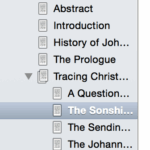
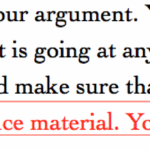
    • Firstly, the nested document system allows for a structured approach to building your argument. You can create folders for chapters, and sections and then arrange your argument beneath that. This can give you a birds eye view in the Binder of where your argument is going at any time, and helps with coherence.
    •  Secondly, each document can be given a word limit, to help to keep you to task, and make sure that you don’t blow out your word count. This simply helps with management later on.
    • Thirdly, there are a multitude of methods for being able to mark material as reference material. You can either put it in your cork board for reference, or you can annotate it inline. This means you can have some of your reference material right in front of you as you write.
    • Fourthly, you can set overall word limits for a project, and also deadlines. This lets you write to task and make sure you aren’t getting too far behind on a writing project. This also helps with keeping the writing juices flowing. If you set a 500-1000 word a day target, then you can simply write to that deadline easily.
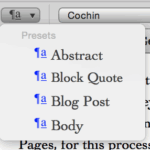
    • Fifthly, it keeps the formatting out of the way. In my Scrivener templates I have a handful of formatting options, usually one for the abstract, one for headings, one for general body text and one for block quotes. The robust way that Scrivener deals with formatting means I don’t have to muck around with whatever formatting system the word processor has decided to do that day.
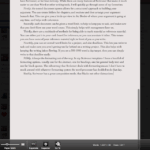
    • Sixthly, Scrivener has a great composition mode, that blacks out other distractions on the screen, letting you just focus on the text.
    • Seventhly, it allows for a regular backup routine, so that you won’t lose any of your data. Plus it writes synchronously to the file system and doesn’t require you to neurotically Ctrl/Cmd-S all the time.
    • Finally, the export system, like that of LaTeX allows you to reformat your document at export time for various targets. For example, if one journal has a specific formatting system you can easily export it to their specification. Then if you are reading the same paper at a conference you can export it for a lectern friendly format as well. All without having to modify the formatting of the original document.


    Overall Scrivener is a robust and powerful writing tool. It incorporates many aspects of LaTeX and other markup languages, without having the steep learning curve. But there are still a couple of downsides to Scrivener and Scapple. One is the cost, although at a total of US$60 for both apps it is one of the best investments you can make, and it has certainly saved me a lot more than $60 in crash and lost material generated heartache. In addition they are commonly on sale throughout the year, so if you want them keep an eye out. They both have a very generous trial policy as well, so you can give them a go for free without laying out the cash.

    The second is the lack of a direct integration with Zotero or other reference managers. You can easily use the RTF shortcodes from Zotero, but I wish for something that was more tightly integrated.

    Finally, and most minorly, there isn’t an iOS/Android app yet for Scrivener, although there is one coming soon. Which a lot of the time is fine, as for research I tend to write at my desk. There are workarounds for this one though, which I will likely cover in the future.

    There we go, the final tool in my general research toolkit—although there are plenty of domain specific tools. I highly recommend Scrivener and Scapple, and I will likely do a couple more posts on both over the next little while as I want to explore specific areas of the tools.

    Tell me below in the comments what tools you use for the synthesis task, and do give Scrivener and Scapple a go.

  • Every Scholar is an Island… or not – Peer Learning & Community

    Every Scholar is an Island… or not – Peer Learning & Community

    A previous professor of mine used to give this adage: ‘Knowledge comes through learning, but mastery comes through teaching.’

    In many ways this rings true with experience being the counterpart to knowledge that aids in gaining mastery of a subject. One may know everything that there is to know about an internal combustion engine, but without the experience in bolting one together, it is unlikely that the resulting engine will hold together. In the physical and practical STEM disciplines it is common that students undertake intern years at the end of their degree to gain practical experience. While in Medicine the SODOTO methodology of See One, Do One, Teach One is widely practiced. But for the disciplines down the theoretical and discursive end of the spectrum, this sort of ‘practical experience’ is commonly quite amorphous. Indeed, if you are studying first century community and identity, then practical first hand experience of the first century is obviously impossible to get.

    798443bdfbadee381a4605a1371c9f18However, this is where the last portion of the SODOTO model comes to bear. While practical experience of many aspects cannot be achieved, the ability to teach each other, and thereby reinforce the knowledge gained through learning, on the way to mastery, is possible. In fact I would argue that in many disciplines, as a factor of limited teaching hours and scope, a significant amount of learning happens outside of the classroom, while teaching each other.[ref]By no means am I saying that contact hours are lazy, or shortchanged, but rather there is generally a much greater breadth of material than available contact hours[/ref] While no doubt much learning happens solo, alone with books and research, significant amounts also happen in community and with peers. In this regard peer interaction and teaching each other not only reinforces content, but promotes mastery of it.

    Teaching Each Other

    The most obvious aspect of a social learning, or educating each other, is the nature of teaching. Now, while some of this teaching will undoubtedly be from material that is not covered in classes, there is even benefit from teaching the material that has been covered in various classes. This act of learning amongst peers, whether it be over a coffee or group studying before tests, helps to reinforce the material that has already been taught and learnt. However, in addition to simply reinforcing the existing material it also helps the overall learning process in two other ways.

    rodin_thethinkerFirstly, the process of discussing and reinforcing the material already learnt rarely happens by simply repeating the lecture or textbook verbatim. The differing emphases of people in a group will naturally emphasise different aspects of the material. These different emphases will then require reframing the material in their own thought system, and finally in their own words. This reframing and rephrasing helps with embedding the material learnt, and aids in mastery of the material.

    Secondly, as material is discussed and rephrased from different viewpoints, it inevitably will need to be explained from those differing viewpoints. This act of explanation ensures that you have firmly grasped the material, and understand the concepts involved. Plus the pushback and challenge from peers will help with being able to explain complex concepts to others, especially those who haven’t had the opportunity to learn the prior material.

    Finally, peer learning helps with challenging and extending your knowledge-base. Inevitably in a peer group there will be a range of backgrounds, abilities, and conceptual approaches. Those who have a better grasp on the material can help extend the learning in new ways, and those who may feel like they are playing catch up can hear the material in a different format that may resonate better. In traditional learning it can be tempting to dismiss those in the class who ask all the hard questions and appear to know it all. But with peer learning you can be alongside to challenge and learn from them, just as they will from you.

    Encouraging Each Other

    However, study is not all about knowledge and learning, even though structures may be set up that way. A significant amount of time in educational settings is enabled by meeting peers and having social interactions outside of a learning mode. As John Donne meditated ‘No man is an island.’[ref]John Donne, Meditation XVII[/ref] Rather as he continued on: ‘Each is a piece of the continent, A part of the main.’ So too the social interactions that we have in our learning environments are invaluable. The contacts and friends you make over coffee, lunch or beers; at your university or college, or at conferences, are often some of the best peer interactions you can have (thanks SBLAAR).

    10258432_399260113550382_4043530171475780279_o
    The other SBL-AAR


    Overall academia and research can be arduous, with long periods spent reflecting and studying material alone, with only your thoughts, and sometimes family, for company. So take the opportunities to build a solid peer network, at whatever stage of academia you are at. Those peer friendships, even if they don’t stay within the academy, or even in your field, are often a great boon and encouragement.

    Community and collegiality is important, even in an introspective individualistic academic space. So make the most of it. Build peer networks, and solidify relationships. Make the time to do social events and meet with your peers. Take opportunities at conferences to talk with people you don’t know, and about things other than your research topics.

    As usual, tell me how you build community below.

  • Easy Note Taking – Evernote, OneNote, Pages and SimpleNote

    Easy Note Taking – Evernote, OneNote, Pages and SimpleNote

    He listens well who takes notes. – Dante (Canto XV)

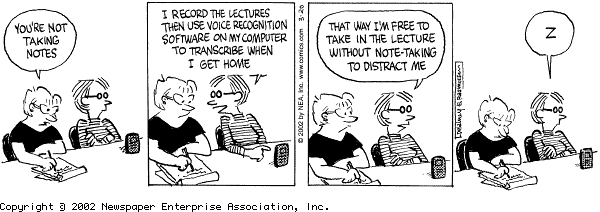
    Note taking can often seem like something of a burden, that gets in the way of learning stuff, or getting things done. However, unless we have a robust eidetic memory, then we are going to need to take notes. Thankfully there are a plethora of note taking options that can make your life easier. Or they can actually make it harder, as we will see. Thankfully they are all easier than using scraps of paper everywhere, and then trying to fit pages into a 3 ring binder with only a 2 hole punch (thanks Tom for the salient example).

    betty.notetaking

    However, what apps and tools should be in your toolkit? Well this is where it gets a bit nasty, as there are so many tools that purport to do everything but make you cups of tea, and wash the dishes. But when you distill it down they may tidy up and take the trash out, but they have a few warts, plus all these bloated bits on the side, and no-one really knows what do do with all the guff that they leave around. So here are my four top tools, and why I only really use two of them.

    Evernote

    2000px-EvernoteEvernote has become something of the big daddy of note taking systems with most people at least having heard of it, if not used it before. It has certainly earned that reputation as well, with most features of the app being easy to use, and the convenience of cloud synced notes is invaluable. Plus it has a relatively good searching system, with notes being indexed and decently easy to access. It is on the bloated side, with it trying to manage your notes, research, life, girlfriend/wife, and it would like to hold your hand on dates if it could. In that regard it essentially duplicates a bunch of other tasks, and several of them not particularly well. Nevertheless, this isn’t the critical flaw that some would like to believe. Think of it as a Swiss Army note pad. You are never going to use that funky skewering thingy, and rarely will you use all three of the bottle openers, but it does the core tasks quite well. You do have to pay for a bunch of features though. Want to use the iOS app offline: Premium, want to collaborate better: Premium, want to upload more: Premium, want to annotate your PDFs: Premium… etc. That just makes me annoyed really, but if you want to live in their ecosystem and use its advantages then it is only fair that they want you to pay for it. After all that lovely condo overlooking Central Park doesn’t come for free.

    However, there is one big caveat with Evernote, and it isn’t that it has such a close naming similarity to Endnote that it makes me shudder. When you are using Evernote you are in their system, and it is a proprietary one. It is a lesson I have learnt the hard way over a couple of other platforms (*cough* Springpad and others), and it involves losing all your notes and information if the system goes down. Evernote here is a bit more friendly, with the userbase being large enough that it shouldn’t go down suddenly, and if it does look like a sinking ship it does allow you to export your notes. Still, this ecosystem deal makes me feel a little queasy.

    OneNote

    microsoft-onenote-2013-06-535x535The next option is OneNote, from the Microsoft behemoth. OneNote does much the same as Evernote, with its own cloud syncing thingy, and given the size of the Micro$oft juggernaut it should be syncing, rather than sinking. Being linked in with the Office environment here makes it a fairly useful little tool, although you give up all of the nice archiving and indexing algorithms from Evernote. But on the flipside, you only have to pay through the nose once for the privilege of using the tool, rather than the pesky subscription model. However, the caveat here is the same as the one for Evernote. Indeed, OneNote is one of the platforms that I have lost data with before. Although in this case I have all my notes still jammed into the little .one files, dutifully backed up. I can do almost nothing with them. The version of OneNote that last opened them didn’t support easy export, and so short of copying and pasting them all it’s a bit of a lost cause. But hey, on the bright side at least I have the files (*hums* Always look on the bright side of life). This consigns OneNote to the same drawer as Evernote.

    Pages/Word/GoogleApps

    mzl.nnnyqswm.175x175-75The fourth option here is Pages, or Word if you are on PC/Android/WinMo, or Google Apps if you swing that way. These aren’t really dedicated note taking systems, although they can be pressed into service in a pinch. They all come with a variety of mobile apps, and you can cloud sync your notes via Dropbox (see the last post) so you can get at your notes anywhere. However, they are quite granular and don’t really support tagging or any other organisational features. So you need to keep your directory structures clean and clear. File format wise they are both proprietary but widespread enough that they can be opened on multiple platforms and by multiple apps.  Plus they can all be exported to PDF for archival. Quite nice really, but seriously bloated for a note taking app. That said, I still use Pages and Word for note taking in conferences (depending if I’m on the iPad or laptop), and then just export to PDF for archival at the end of the conference.

    SimpleNote/nvALT (simplenote.combrettterpstra.com/projects/nvalt/)

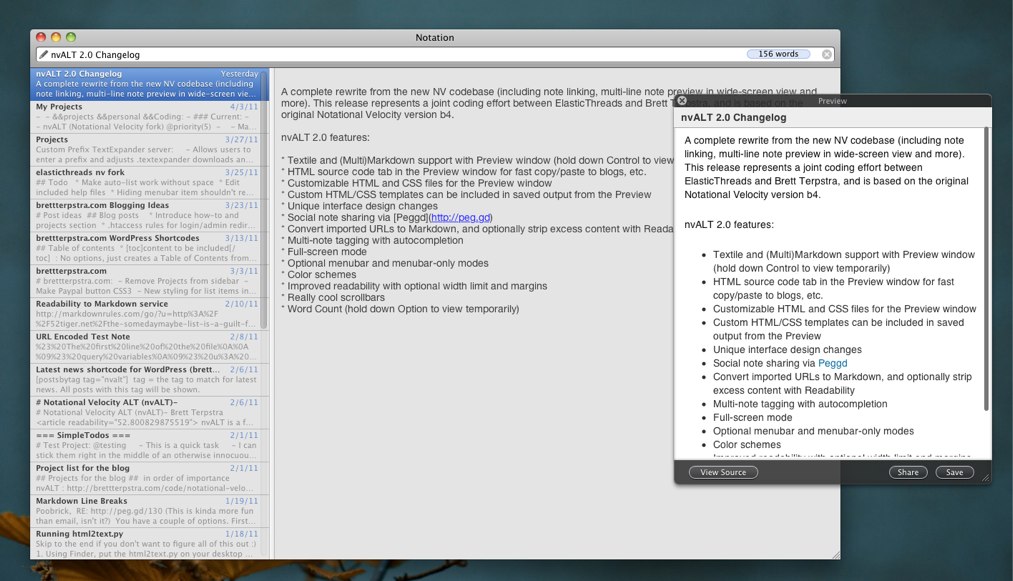
    nvALT2.0ScreenshotNone of the above solutions have really whetted my appetite for a note taking app, until this one: SimpleNote. If Evernote and OneNote are your full featured, slightly bloated and bulging note taking apps, then SimpleNote is the polar opposite. SimpleNote does exactly what it says, and is a basic text based note taking app. It supports one form of organisation: tagging; and that is about it. It is solely text and MultiMarkDown compatible, which means no fancy fonts or formatting, just plain text with some basic italics, bold and other simple formatting features. Where it excels is that it does this without any fuss and mess, and is easily exportable and cross compatible. For a start, given that everything is in text, and several helper apps can reach into the cloud to extract your notes and store them in .txt format on your machine, means that you don’t have to worry about being stuck in a proprietary system. Plus with everything being indexed in text format, apps such as DEVONthink or Spotlight can quickly read them and find your data. You can tag your notes with OpenMeta tags so you can find them easily, and being cloud based you can access your notes anywhere. As they are fairly open with their interface there are other good desktop helper apps to use as well. Personally here I use ResophNotes if I’m on Windows, and a fork from Notational Velocity called nvALT on the Mac. nvALT is my go to for quick note taking and it syncs easily with SimpleNote. That way I can have all the quick notes I need on my phone, and anywhere. From paper ideas, to pithy quotes, it is all here. I quite like this primer on text notes over on the ‘A Better Mess’ blog, he covers the range of uses better than I can in this short form now: Plain Text Primer : nvALT 101.

    Finally I will end this post by highlighting one use of this system. When I find particularly salient quotes from articles and books, I tend to store them in a little file on my SimpleNote, that I nickname my quote bank. Some of it is humorous anecdotes while others are serious treatises. But they are all there for ease of finding and rapid application.

    Well there it is, my note taking post, and why I don’t use Evernote, or OneNote. In this case simple wins out, with SimpleNote just having the ease and sticking power. Tell me why I’m a fool not to use Evernote, or your favourite note taking app, in the comments below.

  • Being Broad Learners – Conferences and Other Interests

    Being Broad Learners – Conferences and Other Interests

    In academia and many other fields, the temptation is to become ever more specialised. Indeed, continually narrowing and paring back the breadth of expertise to be deep in a specific area is one of the requirements of many post-graduate research degrees. Despite this trend and requirement, it is not actually the best thing to be super-specialised at the expense of a broader knowledge base. In fact it is really beneficial to be a broad learner, and in a wider range of disciplines than just your area of speciality.

    Knowledge_Base_1Professionally, having a strong detailed knowledge of your particular area is important, it is also as important to be able to draw in insights from other fields and areas to leverage on the work at hand. Being able to link concepts together and understand ideas from different perspectives is invaluable. However, even from a broader standpoint having a wider knowledge base will help with being able to explain concepts in layman’s terms, rather than using the specialised jargon of your field. Not only does this make your work more broadly accessible, but it even improves your communication within the field.

    So how can this be picked up. Do we need to therefore be experts in every discipline, as some argue for true doxastic justification? No, I would argue that even just a broad understanding of other disciplines is helpful. What is more there are many ways of being able to pick up this knowledge without having to be invested as deeply as with your primary field. Personally the two primary ways I broaden my knowledge base are through conferences and hobbies.

    Conferences

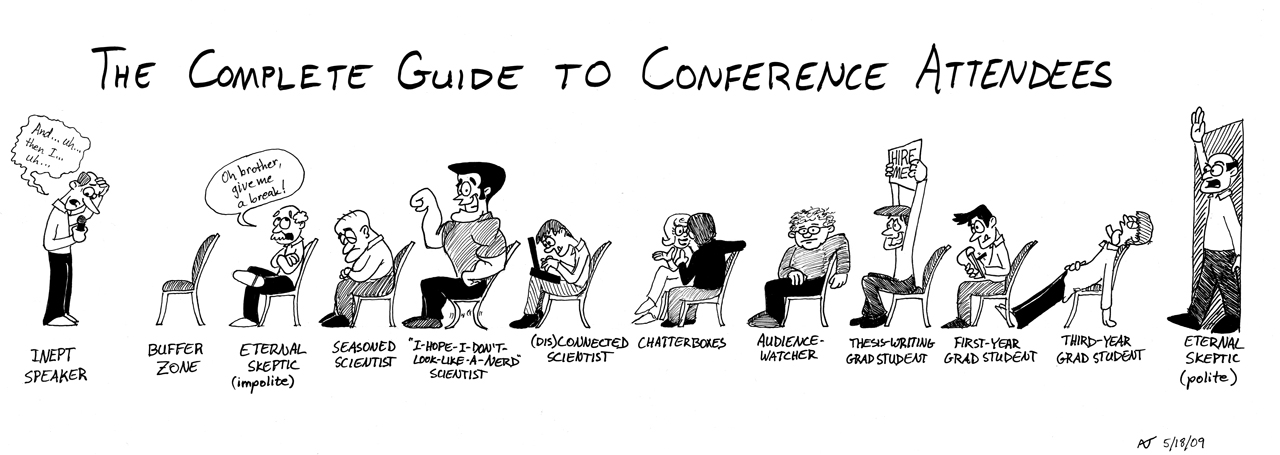
    conference_guide1280The somewhat more obvious option for being a broad (not bored) learner, as they tend to have a broad cross-section of interest, rather than just your highly specific area. Plus professional conferences tend to be closer to your area of focus which makes bridging the gap easier. Of course here it is tempting to just attend those papers that relate to your specific field, and it is certainly important to be getting the current information for that area. However, it is highly unlikely that these conferences will have a paper on in every time slot that addresses your speciality. So in those time slots that are blissfully free from your topic, then head along to other papers to broaden the knowledge base.

    Though, if your speciality primarily has smaller conferences on highly specific topics, then it can be worth heading along to larger conferences, even if they are not super-specific. Or attending other smaller conferences on related topics. This breadth of knowledge base in related fields can be invaluable in inter-disciplinary research and insights.

    Hobbies

    48_cat_cartoonThe other area that can be invaluable for being able to communicate research are your hobbies. Hobbies tend to be far less specialised than the fields that we are engaged in for work, and so the communication for these tends to be more transferrable. For example, I do a bit with yeast, namely baking and brewing. So if I want to talk about how an idea spreads in a social setting I could talk about Berger and Luckmann’s theory of sociological construction, or I can talk about how yeast spreads through dough in a similar fashion. While the former is certainly more accurate, the latter is more communicable to non-experts. Plus, even for experts the different analogies and metaphors can spark a better understanding of complex concepts. Rather than hobbies necessarily being distractions from work, they can be leveraged as insights and analogies for communicating the work at hand.

    In short, while our specialisation and expertise in specific topics is needed and required, we also need to have a broad knowledge base underpinning it. It gives us new insights into the topics at hand, and it improves our communication of our expertise. How do you keep your breadth of knowledge. Tell me below.

  • Finding the Needle in the Haystack – Dropbox and DEVONthink

    Finding the Needle in the Haystack – Dropbox and DEVONthink

    Now, where did I put that document again?

    needle_in_the_haystack_4Any organisational system is only as good as how easy it is to find the material you are looking for, and this system is no different. But sometimes it can feel like trying to find a needle in a haystack. I think we have all been there, after all that is why the meme works so well. While in my first system the organisation was a mess of folder tabs and hanging files, my later, early digital, systems involved portable usb sticks, complex synchronisation scripts, and a plethora of duplicated files. However, this current system is a lot more streamlined, easy to use, and relatively simple in practice. It involves just two applications, that link into my overall structure: Dropbox, and DEVONthink.

    Dropbox

    Dropbox is a bit of a staple of many organisational systems, being one of the early cloud file storage services. However, even now I am constantly surprised by the number of people who don’t use a cloud synced service like Dropbox, and even more surprisingly have never heard of the option. While having a cloud synced storage option is not completely needed, it is an excellent way to work. In my broader environment I have three machines, two laptops and a desktop. The laptop on my desk at college is an older Macbook Pro, which I am happy to leave just locked in an office. On the other hand my desktop and new rMBP are a bit more precious and generally stay at home or within eyesight. This does present a bit of a problem though, how to transfer files around. What happens if I am reading a document at home, and then head into college and it isn’t there. Well that is where Dropbox steps in. To be able to find the needle in the haystack, you first have to have an accessible haystack.

    Dropbox and Organisation
    Dropbox and Organisation

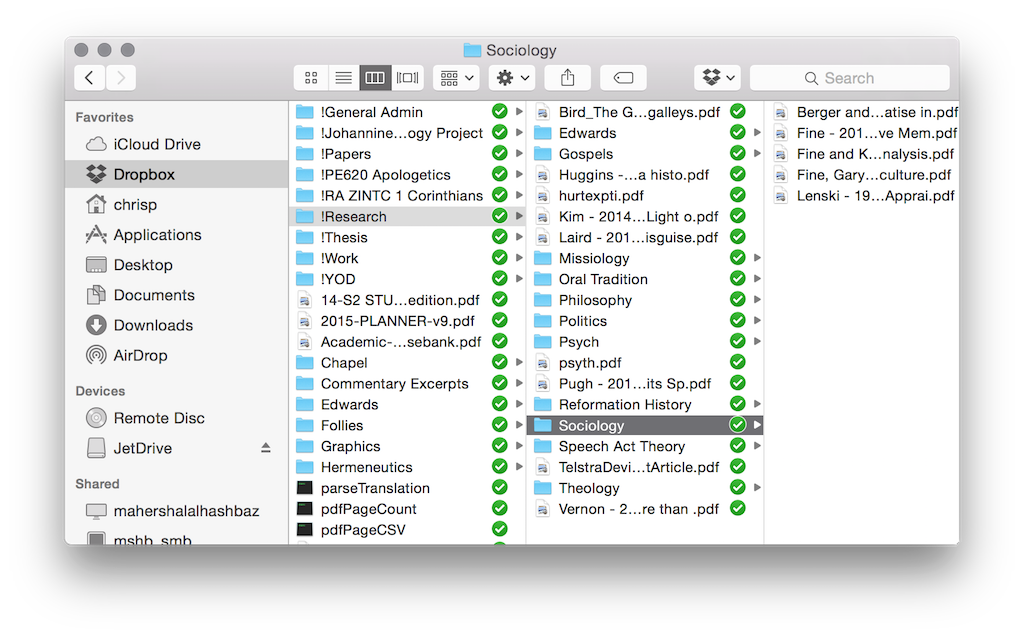
    Basically Dropbox works by synchronising everything you place in its folder into the cloud, and then replicating that sync to each machine. Its pretty simple really. While there are a ton of services that offer this feature, I started with Dropbox and given that it hasn’t eaten all my documents yet, I’m happy to stay with it. There are a ton of other features of Dropbox, such as shared folders (Gill and I use this regularly), and a bunch more. But the basic functionality that I use is simply to share files around the place. Now one of the reasons that I have stuck with Dropbox is that as an early service provider it is generally also supported by other applications, like GoodReader on my iPad which I will look briefly at next week. Having other app support is quite critical in some ways, so I would encourage you to find an app that works with everything that you want to work with. The key to working with Dropbox is to have a good folder organisation system. You can see mine in the screenshot, and it works for me. I recommend that you sit down for a bit and try and figure out a logical structure early on. They can be changed later, but the earlier you start with a structure the more natural it feels. As a little side note, if you want to have a folder appear at the top of a listing every time then just put an ! at the start of the folder name, as you can see from my screenshot.

    The other bonus with Dropbox is that it provides a good backup service. When your laptop goes missing, or Word eats a document, then you don’t have to worry as much about losing everything. Quick story time:

    Years ago when I was working in IT Support at the John Curtin School of Medical Research, I had a PhD student come to me in a panic. He was lugging his PC along with him, and to cut a longer story short the machine had been fried in an unfortunate lightning strike. Now he had all of his digitised data on that machine, and I do mean ALL of his data. From chapters of his thesis through to the raw data that made up his workings. Furthermore, he was somewhat paranoid about someone stealing his research and so while he kept notebooks for lab sessions, he destroyed the data after he had digitised it. Oh and he had no backups. That’s right, NO backups. Thankfully we could restore a bit of his data, but he still lost around 8 months worth of work. Moral of that story: back up your data!

    Dropbox is handy here, while I don’t advocate it as a complete backup service (and it shouldn’t be treated as such), it does provide a medium layer of backup, and a bit of piece of mind.

    Still make sure you BACKUP EVERYTHING. Email it to yourself, have multiple copies across multiple machines. Print it out if needed. But make sure you backup.

    If you haven’t heard of Dropbox, or you haven’t signed up, then I’m going to do something unusual for this blog. I’m going to give a referral link. Basically if you use this link then both you and I get a bit of extra space. Its not a lot, but it is better than a slap in the face with a wet fish. So if by some oddity you haven’t signed up for Dropbox, then go here: https://db.tt/MffoWBy

    DEVONthink

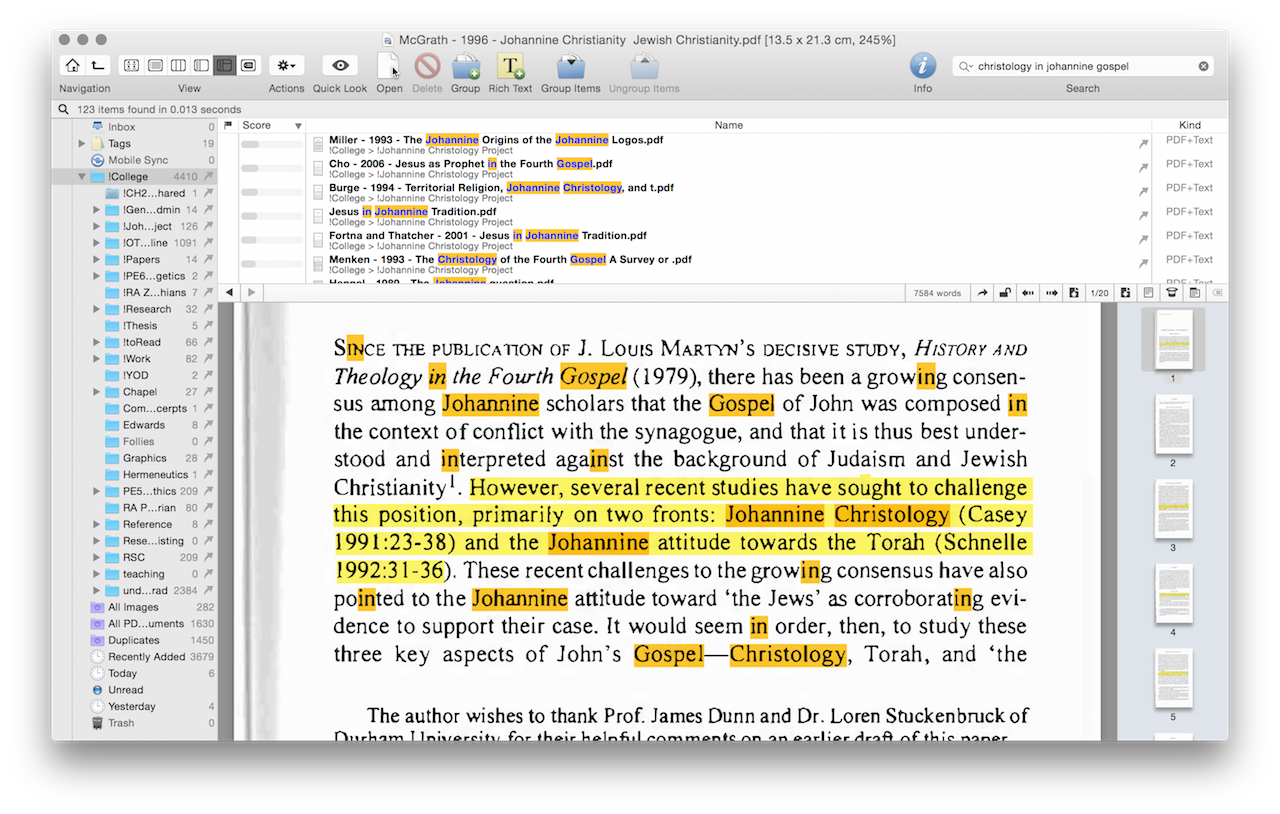
    Onto the next little app: DEVONthink. If Zotero is your reference and research database, then DEVONthink is your ‘Google.’ This app is probably a bit of an optional extra for most readers, as a lot of its usage depends on how you remember things. Personally I have a really good priming memory, and so tend to remember random quotes or bits of articles. DEVONthink essentially works as a large and relatively smart search engine for my local machine. I get it to index my entire research library, and then you can execute searches within that database.

    DEVONthink Search
    DEVONthink Search

    Now if you have all your scanned files OCRed into searchable text, then you can find pretty much anything within your library relatively quickly. In addition it has a decent inference language search engine, so that it can tell you which documents are related to your search terms, even if it doesn’t use that exact phrase.[ref]Pretty sure it uses a modified LSA algorithm here[/ref] This is only scratching the surface of DEVONthink, as it supports tagging, metadata and much more. However, given it is only an optional extra, I wont go into it in a huge amount of detail. My main usage for DEVONthink is to leverage my own memory type, and so while it makes sense for me it may not for you. If you don’t need such fine grained searching then its quite likely that the built in Spotlight search in OSX will work for you.

    Thats it for this shorter post this week. Although I am interested in how other people find data in their storage database. Comment below.