Author: Chris

  • Finding the Needle in the Haystack – Dropbox and DEVONthink

    Finding the Needle in the Haystack – Dropbox and DEVONthink

    Now, where did I put that document again?
    needle_in_the_haystack_4Any organisational system is only as good as how easy it is to find the material you are looking for, and this system is no different. But sometimes it can feel like trying to find a needle in a haystack. I think we have all been there, after all that is why the meme works so well. While in my first system the organisation was a mess of folder tabs and hanging files, my later, early digital, systems involved portable usb sticks, complex synchronisation scripts, and a plethora of duplicated files. However, this current system is a lot more streamlined, easy to use, and relatively simple in practice. It involves just two applications, that link into my overall structure: Dropbox, and DEVONthink.

    Dropbox

    Dropbox is a bit of a staple of many organisational systems, being one of the early cloud file storage services. However, even now I am constantly surprised by the number of people who don’t use a cloud synced service like Dropbox, and even more surprisingly have never heard of the option. While having a cloud synced storage option is not completely needed, it is an excellent way to work. In my broader environment I have three machines, two laptops and a desktop. The laptop on my desk at college is an older Macbook Pro, which I am happy to leave just locked in an office. On the other hand my desktop and new rMBP are a bit more precious and generally stay at home or within eyesight. This does present a bit of a problem though, how to transfer files around. What happens if I am reading a document at home, and then head into college and it isn’t there. Well that is where Dropbox steps in. To be able to find the needle in the haystack, you first have to have an accessible haystack.
    Dropbox and Organisation
    Dropbox and Organisation

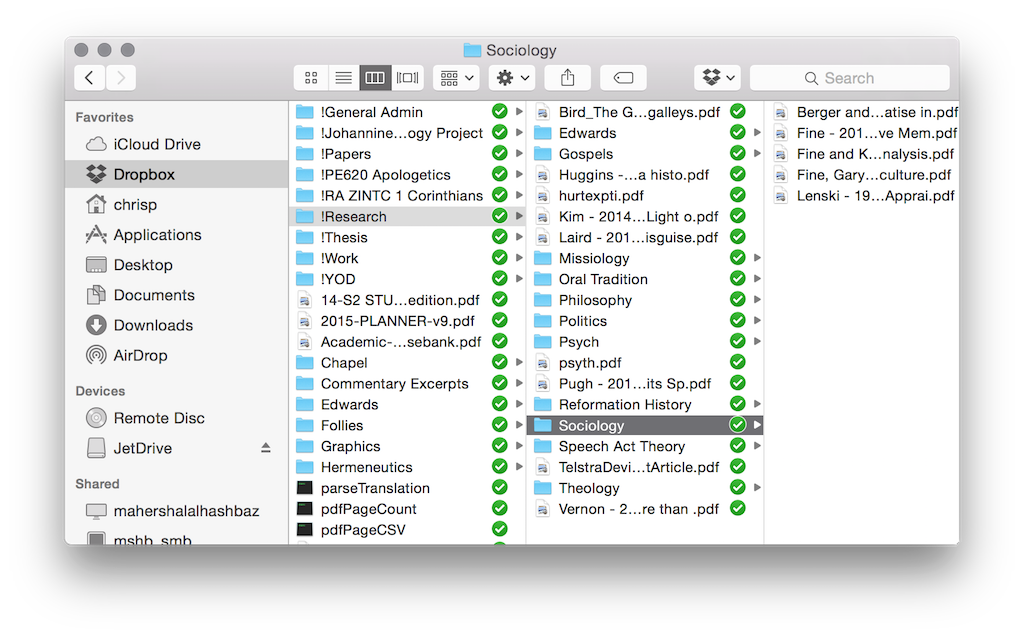
    Basically Dropbox works by synchronising everything you place in its folder into the cloud, and then replicating that sync to each machine. Its pretty simple really. While there are a ton of services that offer this feature, I started with Dropbox and given that it hasn’t eaten all my documents yet, I’m happy to stay with it. There are a ton of other features of Dropbox, such as shared folders (Gill and I use this regularly), and a bunch more. But the basic functionality that I use is simply to share files around the place. Now one of the reasons that I have stuck with Dropbox is that as an early service provider it is generally also supported by other applications, like GoodReader on my iPad which I will look briefly at next week. Having other app support is quite critical in some ways, so I would encourage you to find an app that works with everything that you want to work with. The key to working with Dropbox is to have a good folder organisation system. You can see mine in the screenshot, and it works for me. I recommend that you sit down for a bit and try and figure out a logical structure early on. They can be changed later, but the earlier you start with a structure the more natural it feels. As a little side note, if you want to have a folder appear at the top of a listing every time then just put an ! at the start of the folder name, as you can see from my screenshot.

    The other bonus with Dropbox is that it provides a good backup service. When your laptop goes missing, or Word eats a document, then you don’t have to worry as much about losing everything. Quick story time:

    Years ago when I was working in IT Support at the John Curtin School of Medical Research, I had a PhD student come to me in a panic. He was lugging his PC along with him, and to cut a longer story short the machine had been fried in an unfortunate lightning strike. Now he had all of his digitised data on that machine, and I do mean ALL of his data. From chapters of his thesis through to the raw data that made up his workings. Furthermore, he was somewhat paranoid about someone stealing his research and so while he kept notebooks for lab sessions, he destroyed the data after he had digitised it. Oh and he had no backups. That’s right, NO backups. Thankfully we could restore a bit of his data, but he still lost around 8 months worth of work. Moral of that story: back up your data!

    Dropbox is handy here, while I don’t advocate it as a complete backup service (and it shouldn’t be treated as such), it does provide a medium layer of backup, and a bit of piece of mind.

    Still make sure you BACKUP EVERYTHING. Email it to yourself, have multiple copies across multiple machines. Print it out if needed. But make sure you backup.

    If you haven’t heard of Dropbox, or you haven’t signed up, then I’m going to do something unusual for this blog. I’m going to give a referral link. Basically if you use this link then both you and I get a bit of extra space. Its not a lot, but it is better than a slap in the face with a wet fish. So if by some oddity you haven’t signed up for Dropbox, then go here: https://db.tt/MffoWBy

    DEVONthink

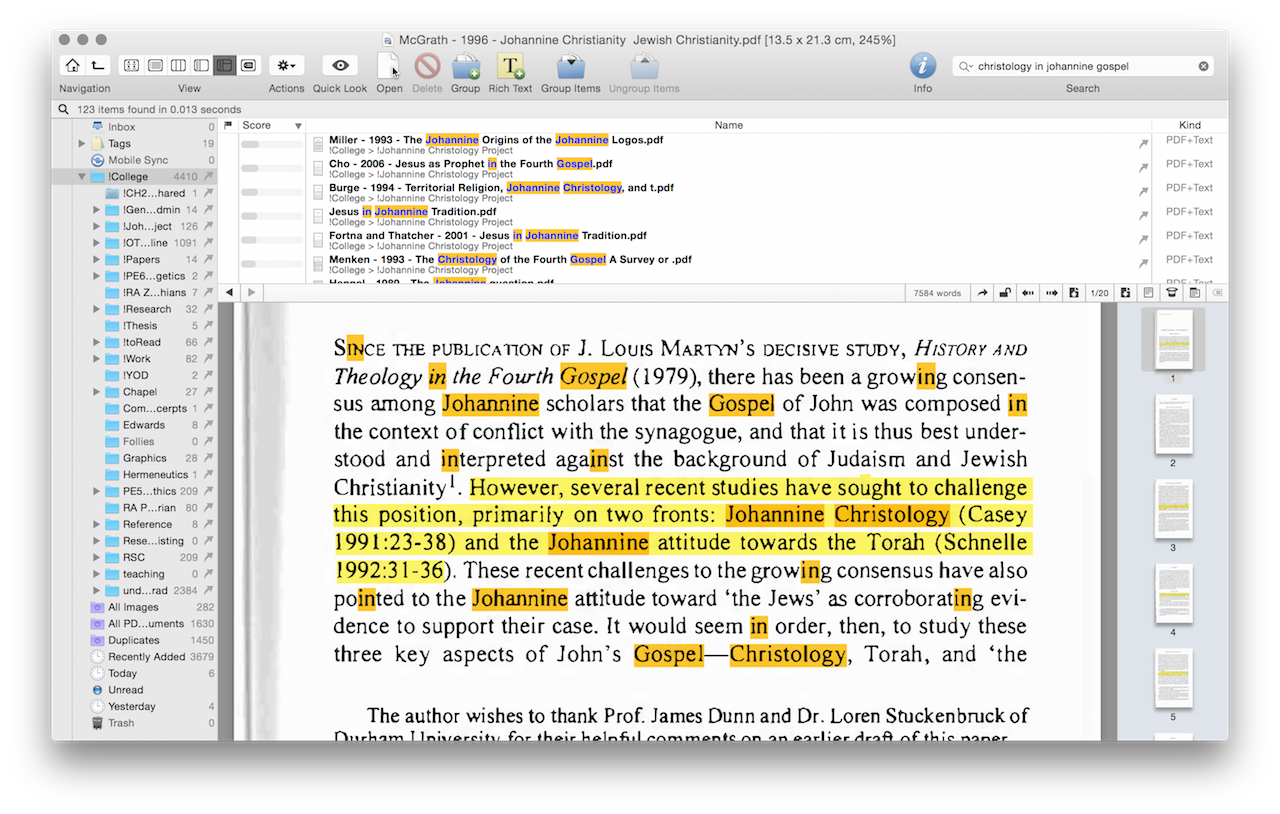
    Onto the next little app: DEVONthink. If Zotero is your reference and research database, then DEVONthink is your ‘Google.’ This app is probably a bit of an optional extra for most readers, as a lot of its usage depends on how you remember things. Personally I have a really good priming memory, and so tend to remember random quotes or bits of articles. DEVONthink essentially works as a large and relatively smart search engine for my local machine. I get it to index my entire research library, and then you can execute searches within that database.
    DEVONthink Search
    DEVONthink Search

    Now if you have all your scanned files OCRed into searchable text, then you can find pretty much anything within your library relatively quickly. In addition it has a decent inference language search engine, so that it can tell you which documents are related to your search terms, even if it doesn’t use that exact phrase.[ref]Pretty sure it uses a modified LSA algorithm here[/ref] This is only scratching the surface of DEVONthink, as it supports tagging, metadata and much more. However, given it is only an optional extra, I wont go into it in a huge amount of detail. My main usage for DEVONthink is to leverage my own memory type, and so while it makes sense for me it may not for you. If you don’t need such fine grained searching then its quite likely that the built in Spotlight search in OSX will work for you.

    Thats it for this shorter post this week. Although I am interested in how other people find data in their storage database. Comment below.

  • It’s All About the Style – Writing Well

    It’s All About the Style – Writing Well

    Style or substance, which one is more important?

    While our last Friday post dealt with the process of writing—how to stimulate those word juices flowing in your head—this post looks at the style of those words. Now style is a very personal thing, and it is entirely likely that your style will change based on what you are writing. For example this chatty style that is suitable for a blog post would be terribly inappropriate in an academic paper. However, there are still some aspects of style that have broader applications, and these should be examined.

    Aspects of style have already popped up a couple of times in the various comments on this series, with some people loving and others disliking my style (no-one hates me yet). To some degree the style on this blog is part of my natural writing output, and the technicality that creeps in reflects some of my background. Nevertheless, there are many foibles to my writing style, and this sentence is but one florid example of this. Personally I have a tendency to over-use adjectives, and make my sentences overly complex, while also introducing technical jargon in the middle of a thought process. While a lot of this I have picked up from the reading I have done in my fields, they are still poor habits to be in. I am certainly not be the best writer. In fact with many others I decry ‘I am no Hemingway,’ and I certainly have a lot to learn. But here are my top five tips—really the top things I need to work on too—for thinking about your style and writing well.

    1. Style is Personal

    formal-writingThis one is relatively obvious, your style is your own. It is useless slavishly copying someone else’s writing, as it will appear forced and unnatural. Getting comfortable with your own writing style is essential. However, don’t use this as an excuse for sloppy writing. While your style may have particular nuances, and engage with certain audiences effectively, it should still be intelligible to a wider range. For example one of my bad habits is to create run-on sentences, joining ideas together in, what for me is, a logical manner. But these sentences actually make my work harder to read, harder to digest, and harder to understand. Similarly my digressions into technical language rarely make my writing more intelligible. Simply because certain jargon is used in a specific field doesn’t mean it is ideal.

    One of the ways you can shake up your style is to simply write in a different genre. While for an academic paper it may be acceptable to use ’this author’ or ‘this paper’, to use such formality on a blog makes it hard to read and you look excessively formal. You need to find your writing style, but don’t etch it in stone, it can always be improved.

    2. Edit… a lot

    In his very useful book On Writing Well, William Zinnser expounds the virtues of editing:

    ‘Examine every word you put on paper. You’ll find a surprising number that don’t serve any purpose.’

    and

    ‘Clutter is the disease of … writing. We are a society strangling in unnecessary words, circular constructions, pompous frills and meaningless jargon.’

    It is not unusual for writing to require editing, that is only natural. In fact I haven’t met a single author who is able to write their pieces without any editing work whatsoever. Of course if we are so focused on putting the first draft down perfectly, such that it needs no editing, then we will rarely write anything. Write first, then edit. But definitely edit, and be ruthless with your work.

    3. Get to the Pointget-on-with-it

    Similar to the old Monty Python sketch in The Holy Grail: ‘Get On With It!’ Often our writing can take circuitous routes that involve so many qualifications and hedges that the reader loses sight of the point. There is a virtue in simply getting to the point of a sentence. In my case those sentences of mine that involve layered adverbs, and compound superlatives can be simplified. If you strip sentences back to their raw components and then build from there your writing will normally be better for it. As Zinsser poetically comments:

    ‘Most writers sow adjectives almost unconsciously into the soil of their prose to make it more lush and pretty, and the sentences become longer and longer as they fill up with stately elms and frisky kittens and hard-bitten detectives and sleepy lagoons.’

    4. Be Active

    While the passive voice has a place in the writing sphere, it shouldn’t be used as the primary voice. Be active, use the active voice as much as you can. Not only is it simpler and more direct, but it also engages the reader vigorously. But there is more than that, being active conveys passion and intent. It communicates your thoughts with the same passion that they are swirling around your head. Rarely do we write without any passion for the topic at hand. Yet often the reader receives a piece that is dispassionate and flat. Make your writing active.

    5. Get an external reader or editor

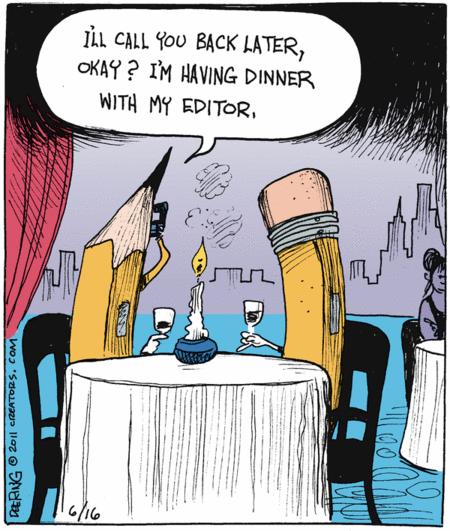
    editing-humorAlthough the idea of getting someone else to read through your work with a critical eye may be terrifying, it is one of the best ways to become a better writer. Ideally you want someone who is distant enough from your content that they absorb the force of the argument for the first time. Yet also someone who is close enough to the content to not be plunged in the deep end of your laboured work. In addition try to pick someone who you don’t interact with in that frame as often. That way they are not used to the foibles of your writing style, and can highlight them for you. Once you have an editor or reader, take on their advice. It is of little use if all of the red ink is never read or absorbed.


    Bonus: Read widely.

    The broader your reading base is the more you will see other styles in action. Keeping across multiple styles and fields helps with not being anchored in any specific style. In addition reading books on writing, such as William Zinsser’s On Writing Well will help identify your style issues.

    That is my top five (plus one) tips for writing well, or at least improving stylistically. Does it sound a bit hypocritical? Well really I am also preaching to myself here, as I tend to fall short in each of these areas regularly.
    What is it that you fall short in? What tips would you give in improving style? Comment below. I look forward to reading them.

  • If something is said often enough it must be true! – Availability Bias or the Illusory-Truth Effect

    If something is said often enough it must be true! – Availability Bias or the Illusory-Truth Effect

    There is no place like home. There is no place like home. There is no place like home. There is no place like home.

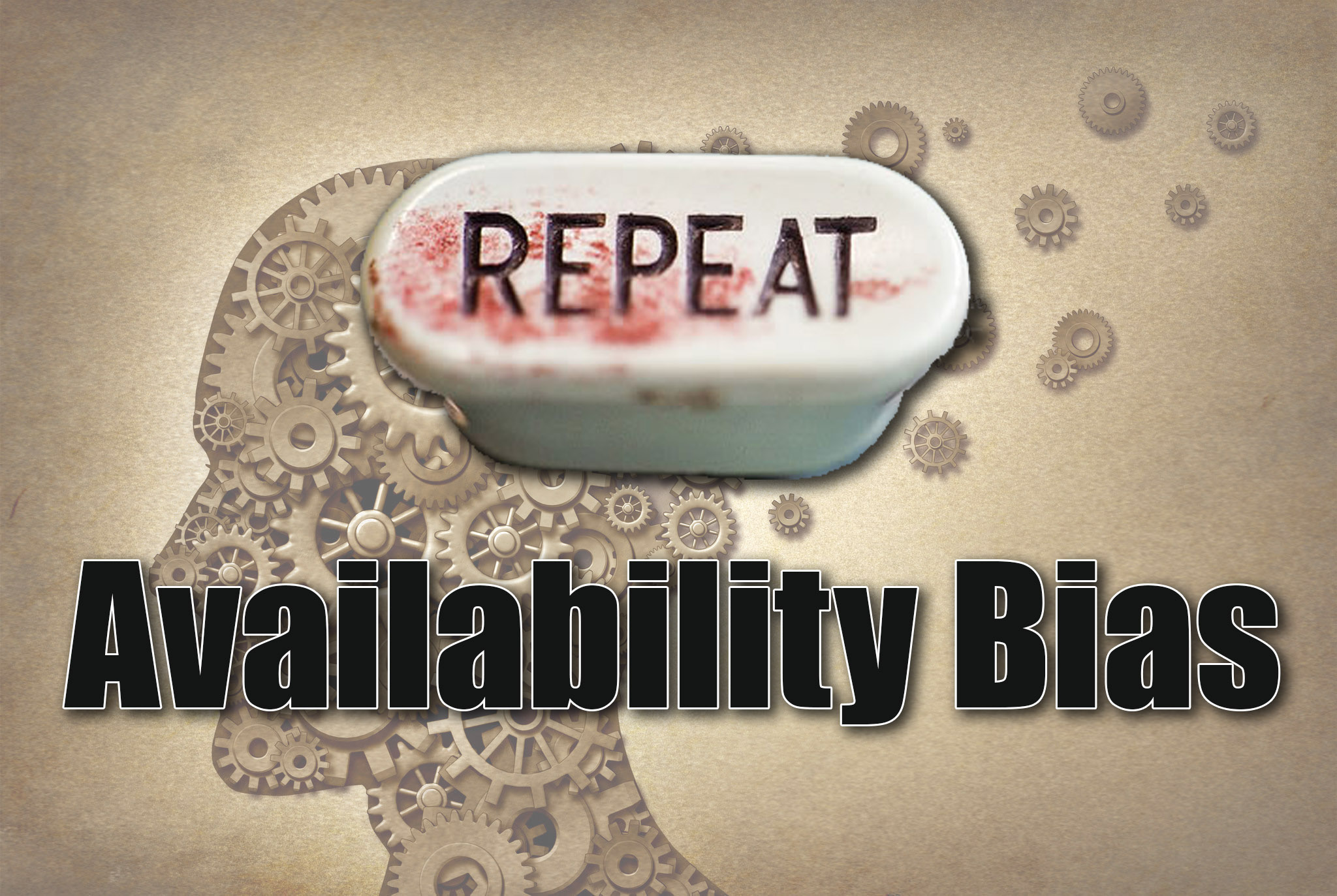
    yellloudWhile repeating the ending line to the Wizard of Oz may have worked well enough for Dorothy, it doesn’t work in the same way for us. Or does it? Sometimes it appears that people treat claims as true, or at least more valid, when they hear them regularly. One can easily find evidence of this when looking around on the internet. Through the ease of publication and promulgation in the modern era of social media, it is relatively easy for inaccuracies, misnomers and blatant lies to spread like wildfire. But why is it that even when they are obviously false, or resoundly corrected, that many people still believe them to be true? Well it seems that there is some truth to the old adage ‘if it is said often enough it becomes true.’
    Welcome to Cognitive Bias Wednesday — today looking at the Availability Bias or the Illusory-Truth Effect.

    Although hearsay, scuttlebutt and old-wives tales may account for some of the repeated claim evidence, it appears that the cognitive rabbit hole goes a bit deeper than this. In 1977 Hasher et. al. ran a study looking at how repetition of information affected the believability of it.[ref]Hasher, L., Goldstein, D., & Toppino, T. (1977). Frequency and the conference of referential validity. Journal of Verbal Learning and Verbal Behavior, 16, 107- 112.[/ref] Surprisingly they found that not only did participants respond more confidently seeing the repeated information, the usual symptom of a Remember-Know task, but they also rated the validity higher, than the novel information. Their abstract for the piece highlights their findings succinctly:

    Subjects rated how certain they were that each of 60 statements was true or false. The statements were sampled from areas of knowledge including politics, sports, and the arts, and were plausible but unlikely to be specifically known by most college students. Subjects gave ratings on three successive occasions at 2-week intervals. Embedded in the list were a critical set of statements that were either repeated across the sessions or were not repeated. For both true and false statements, there was a significant increase in the validity judgments for the repeated statements and no change in the validity judgments for the nonrepeated statements. Frequency of occurrence is apparently a criterion used to establish the referential validity of plausible statements.[ref]emph. mine[/ref]

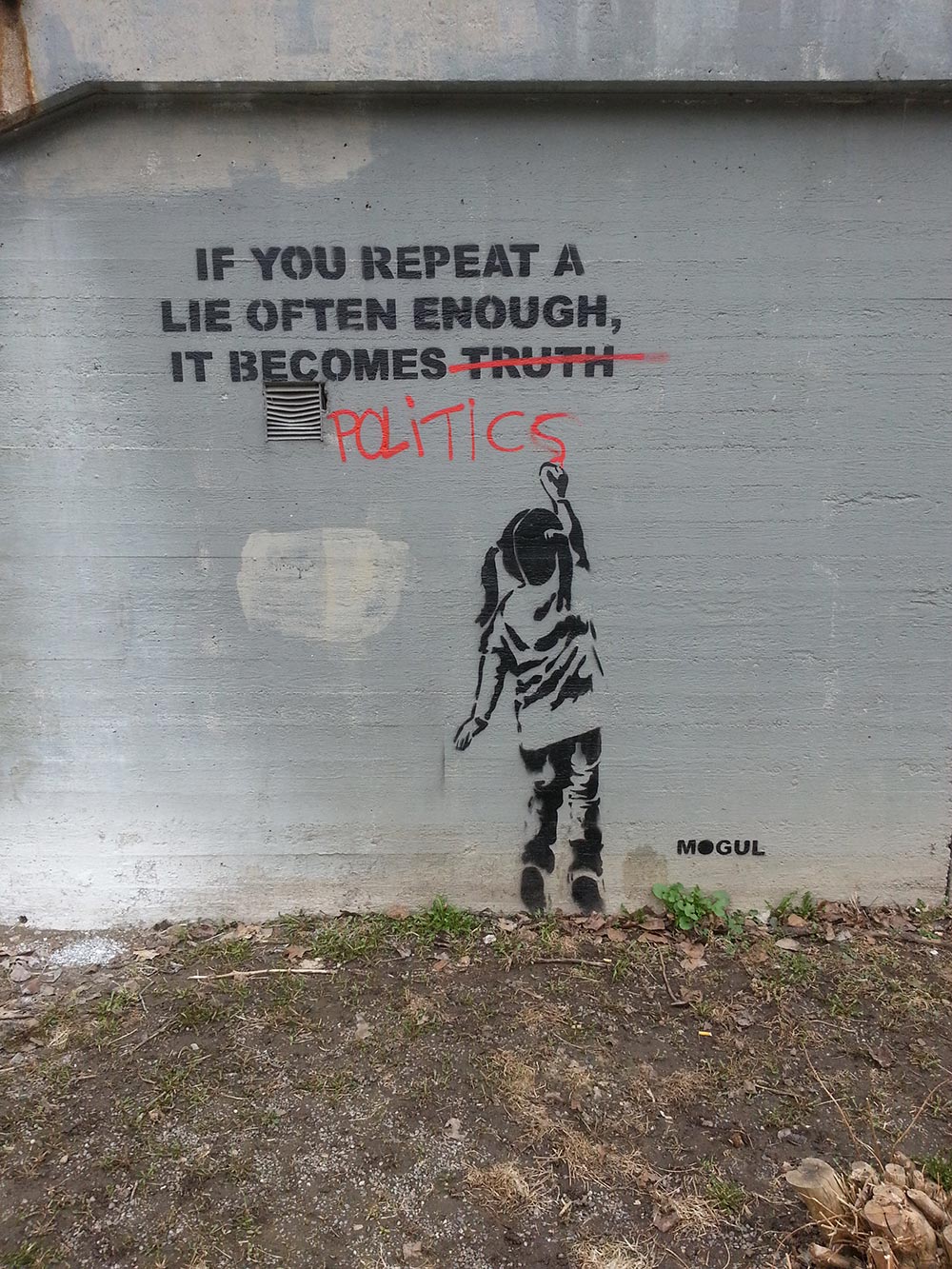
    morala-in-politica-if-you-repeat-a-lie-often-enoughOf the greatest surprise here is that final sentence: ‘frequency of occurrence is a criterion … [for the] validity of plausible statements.’ In other words they found that the more seemingly plausible material was repeated, the more it was believed as factual. To translate this into the modern social media era, take the seemingly ridiculous, but vaguely plausible, claims regarding ‘Chemtrails,’ fluoridated water or the ideology of ISIS. While the claims bear little to no factual basis, if repeated often enough they begin to attain an air of social plausibility. The facts surrounding the matters at hand have not changed one iota, but the more it is shared and re-shared, the more it is believed and repeated as mantra as it appears repeatedly on people’s Facebook walls and Twitter feeds.

    Indeed, the more these claims get repeated and shared, the more likely it is to cause an availability cascade.[ref]Kuran, Timur and Sunstein, Cass R., Availability Cascades and Risk Regulation. Stanford Law Review, Vol. 51, No. 4, 1999; U of Chicago, Public Law Working Paper No. 181; U of Chicago Law & Economics, Olin Working Paper No. 384. Available at SSRN: http://ssrn.com/abstract=138144[/ref] The availability cascade is effectively the result of a particular ‘factoid’ or ‘unfactoid’ going viral, and gaining significant social plausibility by the availability bias. The degree of sensationalism and clickbait present in our modern news media is just one example of this type of cascade.

    Furthermore, if you are in an academic field like I am, don’t get all high and mighty over not falling prey to the availability bias. We have our own two special instances of it: the NAA and FUTON biases.  The NAA bias represents the ‘No Abstract Available’ condition, where articles have reduced citation and engagement rates if the abstract for the article is not publicly available. The FUTON bias is the reverse and finds that where the material is available as ‘Full Text On Net,’ i.e. open publishing or similar, the article is engaged with at a higher rate. As one Lancet study observed this leads to ‘concentrat[ing] on research published in journals that are available as full text on the internet, and ignor[ing] relevant studies that are not available in full text.’[ref] Wentz, R. (2002). “Visibility of research: FUTON bias”. The Lancet 360 (9341): 1256–1256.

    As a side note, this is one reason why many of the articles I refer to are behind pay walls. I deliberately choose non OA research, so perhaps I’m exhibiting the reverse FUTON bias.[/ref]

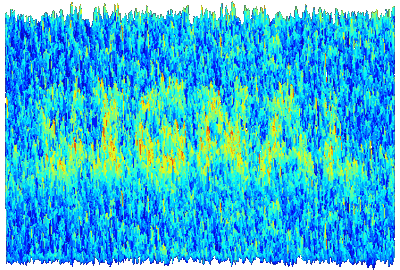
    imagenoise_SIGNALmlab2What does this mean then? Well simply put it’s a question of Signal-to-Noise ratio.[ref]Yes! Finally some vague reference to my telecoms & radio background.[/ref] If articles that propose some vague theory that sounds plausible but goes against the academic evidence are left to fester and be shared around, then they gain a veneer of plausibility. One such category of articles in my current field (theology) are the repeated ‘Jesus myth’ pieces that come out every Christmas, with predictable regularity. Such as this one from last year: http://theconversation.com/weighing-up-the-evidence-for-the-historical-jesus-35319 To maintain an appropriate SNR there needs to be appropriate responses to such articles, such as this one from John Dickson: http://www.abc.net.au/religion/articles/2014/12/24/4154120.htm Or take the claims of various health related article that are shared regularly around Facebook, these too need robust counter claims. Because unfortunately the ‘live and let live’ or the ‘sweep it under the rug and let it die’ approaches only allow the viewpoints to fester, and with enough availability (shares and reshares) they become plausible in the public sphere and consciousness.

    So in short, even though simply repeating things ad infinitum or just yelling them louder should not work in the public square, it unfortunately does affect opinion and plausibility. As annoying, distasteful and time consuming as it may be, inaccurate claims need to be refuted, and done so on such a medium that it allows for such public availability. To simply ignore them reduces the signal-to-noise ratio and reinforces the availability bias.

    Comment below and let me know of your applications of the availability bias, and even what other biases you would like me to look at. For those that have asked the Dunning-Kreuger effect is coming up soon.

  • Digitising Print Media – Briss and OCR

    Digitising Print Media – Briss and OCR

    In almost any field one of the primary research tasks is the reading and absorption of information. Now, in some fields you may be blessed by having all your information accessible digitally, and preferably natively digitised. However, in every discipline I have worked in many of the papers and materials have only been available in physical format, be they books, journals, or otherwise. Some friends, and indeed some commentators on this site, prefer to use the majority of their works in a physical format. If that is you, then this post may not pique your interest. But, if you are like me and a significant proportion of my peers, then you will likely prefer digital media for your research, if only because it makes things easier to find in the long run (and you get to feel somewhat more environmentally friendly). So how do you get that information into your workflow and have it in a usable format. Welcome to the Monday toolkit post on Digitising Printed Media.

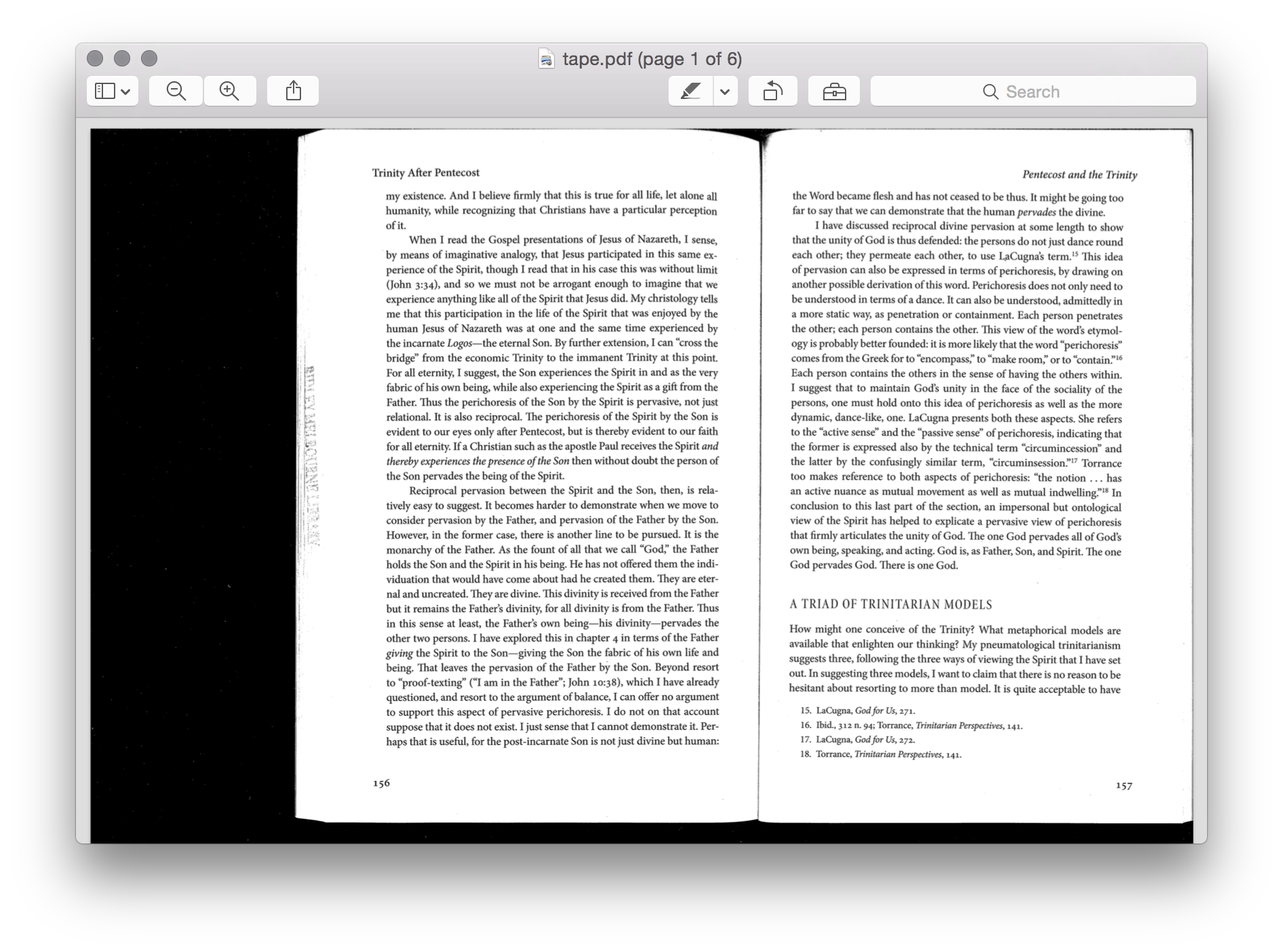
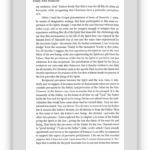
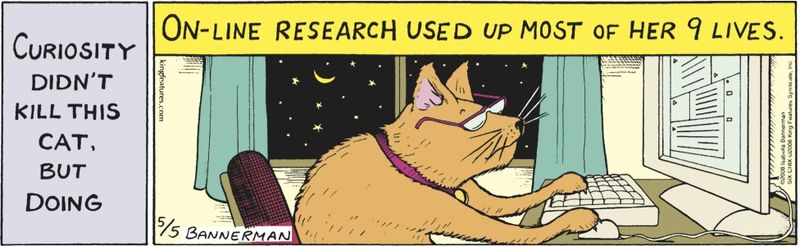
    y-u-so-hard-to-readNow, if working with digital media is your thing, I am almost certain that you would have found whether your office, library or other choice of research institution has the ability to scan documents. Most photocopiers come with this functionality these days, and the majority I have used in the past four years have supported scanning straight to PDF on a USB stick. All well and good you might say, there is my digital media right there, job done. Well not quite. You see while natively digital media generally comes formatted for the screen, in either portrait or landscape, printed media comes in a wide variety of formats. Academic works in Psychology and Theology come in a range from squiffy-near-A5, through to square-wannabe-A3 books (Hermeneia commentaries I’m looking at you here…). However, your digital device likely only comes in one of two formats, both approximating a rectangle in either 16:10 (Android, and most PC monitors), or 4:3 (iPads and older monitors). How do you get your freshly scanned media to display nicely on your screen, and in such a way that you don’t spend extra time scrolling or zooming, and you don’t go blind from eyestrain. Imagine reading this on the screen:

    Briss

    This is where one little free app comes to the rescue: Briss (http://briss.sourceforge.net). While many apps have a plethora of options and capabilities, essentially sporting the modern Swiss Army knife, it is quite refreshing that Briss exists for only one purpose: cutting up PDFs. Although it is possible to do this job natively on the photocopier, manually programming it to output only that portion of the page that you are interested in, it is much more difficult than Briss. Briss is a Java app, and is therefore happily cross platform, running on both Windows and MacOS if you have the Java runtimes. Simply speaking Briss has three steps to its workflow:

    1. Open File
    2. Select Page Zones
    3. Output File

    As in the screenshots above when you first open a file in Briss it will overlay all your PDF pages together so you get a feel of where the text is on the page. Selecting the new pages is a simple drag and select operation, with it displaying a translucent blue rectangle with the Odd/Even page number on it. Once you are happy with the locations of the pages you can simply output it to a new PDF. Briss on its own is an amazing timesaver, and makes for nice and easily readable PDFs, no matter whether you read them on tablet or monitor. In addition if you want to format scans for later printing it means that you can print cleaner files for better markup. In fact I know of several people who scan to PDF, Briss and then print the resultant file through their own printer as they prefer working on paper. This way they also have a digital copy incase they lose or clean out the hardcopy.

    squareeyedWhen scanning the documents in I recommend using full platen scans, or at least one full size larger than the document you are scanning, and the highest resolution possible. With Briss you can easily cut down the page to suit the scanned document, and the higher resolution really helps in the next step. Plus having bad quality documents to read makes you feel like this poor person.

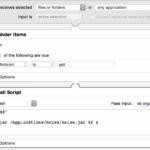
    But wait, there is more—now I feel like a cheesy tele-salesman, although I have wanted to say that for most of this blog series. A friend of mine, Rob,  a while ago wrote a couple of minor upgrades to Briss. His version allows for files to be opened via command line arguments, and for automatic page resizing. What does that mean? The first mod allows for a small script to start the Briss process, and on MacOS you can easily implement this via the Automator app, and you can copy the script below if your Briss app is in the Applications folder. The second allows you to press a single key (V) and both pages spring to the same size, meaning that the pages don’t alternate sizing on digital devices. Minor tweaks, but really valuable. His version can be downloaded here: briss-rob.jar and just place it in with the rest of the Briss folder.

    OCR

    Now you have nicely formatted PDFs, but they aren’t overly usable. Each PDF is simply a big image of the page, and it knows naught of the words on the page. Well there is one simple way of fixing that problem: Optical Character Recognition tools. There are absolutely tons of them out there, both free and paid, although my recommendation is relatively mainstream and unfortunately costs money. Personally I have forked out money for Adobe Acrobat and even though it costs a reasonable amount it works brilliantly. Using the fairly basic settings (300dpi/Cleartype) it provides a relatively accurate transcription of the words on the page, and as a bonus it drastically reduces the file size. It is not uncommon for Acrobat to take 10mb files down to 500kb OCRed output. The downside is of course the cost.

    Whichever program you use for OCR work it is important for the rest of the workflow to get a good transcription of the document. If there are severe inaccuracies, or simply gibberish, then it won’t be as usable in the later stages of the workflow.

    That is about it for this step of the workflow. The digitising operations may seem trivial and inconsequential, but if you are wanting to work with digital media then this stage is critical. Getting good digitisation of your material really helps in the long term.

    Please comment below on what you use for this stage, I’m always eager to re-evaluate my options.

  • How to Write a Lot – The Writing Task

    How to Write a Lot – The Writing Task

    We often consider writing an arduous task, bemoaning things such as writers block, or looming deadlines; and the writing requirement of academia usually won’t alleviate this.

    However, it doesn’t have to be this way, the seemingly sheer cliff face of a writing task can be scaled, and often with relative ease. Welcome to the Friday theory session of the work and research methods series, today we will be covering writing. Last week I intimated that reading is not a stand alone process, and that writing is its strong partner in crime. So if this is the case, then why is writing so hard?

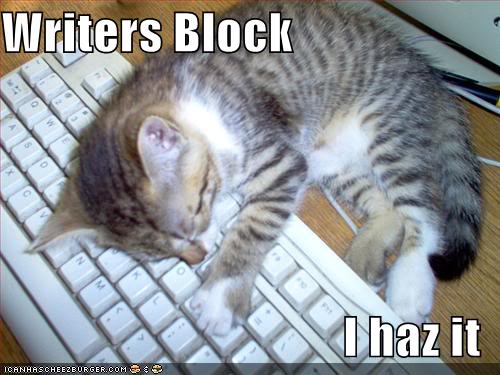
    Well one of the reasons is in the same vein as why reading is so hard. Our primary modes of communication have become shorter and shorter, from when the long form letter ruled supreme, through to the telegraph, phone calls, email, Facebook and now Twitter. Our communications, and therefore our regular writing tasks, are becoming pithier and shorter. So on the whole our long form writing suffers from length of concentration and frequency. Have you ever tried writing a dissertation or even a blog post on a phone keyboard? Yeah… So instead we talk about writers block and deadlines, and then subsequently consume copious quantities of caffeinated beverages while staring at a blank word processor document, and interrupted only by frequent panicked glances at the clock, calendar, task list, research pile, and social media. Perhaps this is a little hyperbolic, although I’m willing to bet that for many readers this picture resonates at some level.

    writers-block1What can be done about it? Well, simply put the main thing to be done about the difficulty of writings is to write. The majority of advice that I have received over my years of having to write reports, papers, presentations, essays, etc (and commonly bemoaning the process), is to simply write a lot. Now that most likely sounds pithy and trite, like telling someone who is struggling to climb over a fence to simply climb over the fence. But while it is trite, it is also true. Writing begets writing, and writing regularly makes the overall process easier. Indeed, studies have shown that regular writing increases the number of fresh ideas for the writing task.[ref]Boice, Robert. Professors as Writers: A Self-Help Guide to Productive Writing. New Forums Press, 1990.[/ref] Nevertheless very few of us have the prodigious writing output of someone like Colleen McCullough, who reportedly wrote up to 30,000 words a day![ref]http://www.nytimes.com/2015/01/30/books/colleen-mccullough-author-of-the-thorn-birds-dies-at-77.html?_r=3[/ref] However, there are methods and mechanisms that can be put in place to assist in the writing process. Here are some of the top methods on my list of writing strategies.

    Writing Regularly

    keep-calm-and-don-t-stop-writing-2One of the best ways to get those writing juices flowing is to write regularly. I know quite a few people who simply set aside a couple of hours a day in their schedule to write. In that writing time they simply write on whatever is currently on the agenda. It could be for a paper, or project, or a conference; so long as it is writing. The dedicated time set aside helps to get a little bit done every day. However, for me this isn’t optimal, as some days with the little man I barely get a chance to write at all. For me I instead aim to write a certain amount per day, a task focused goal rather than time focused. While I don’t dedicate time, I do set myself a task every day to be written. This type of regularity works better with my schedule, and my thought processes. But whichever one you do it gets you writing regularly, and set it as a goal. As Bandura showed, short term goal setting increases the motivation for the task.[ref]Bandura, Albert. Self-Efficacy: The Exercise of Control. New York: Freeman, 1997.[/ref]


    Writing summaries

    While often we have far more things to write about than there is time to write, occasionally there are lulls, or periods where you don’t have enough time to dedicate to that long-form argument, or a larger piece. In these scenarios I generally have a handful of other writing tasks that can fill the gap. One of these comes from last week’s theory post, on reading. When reading in the ‘studying’ methodology the idea is to absorb the information but also mark up the material for later recording as a reference. This transcription and synthesis of argument from my reading tasks forms one of my regular writing tasks as well. It’s almost killing two birds with one stone.

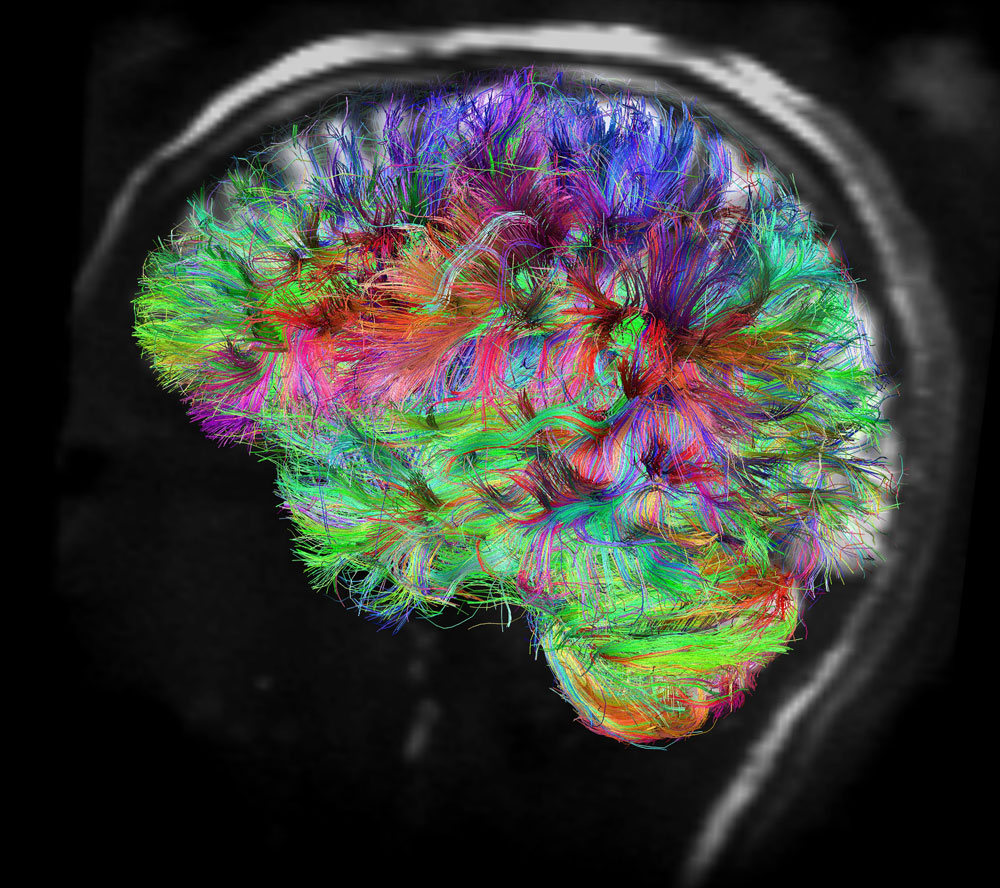
    connectomeIn addition this phase also is a great reinforcement technique for the reading process. The act of writing a synopsis or summary of the work in your own words is a great way of reinforcing the material. It allows for a different set of neural connections to be formed, rather than simply absorbing the material second hand, in the synthesis process you are making it your own (this still means you have to cite the original idea). To harken back to Bruce Ellis Benson’s idea of academic writing as improv, in writing your synopsis you are learning the flow of the music on your own instrument. Writing out what we read helps us to tune our signal-to-noise heuristics, and really absorb the things that matter. As William Zinsser reflects:

    ‘Writing is thinking on paper, or talking to someone on paper. If you can think clearly … you can write – with confidence and enjoyment’

    Blogging

    blogOccasionally though you may have written all your synopses, or for various other reasons don’t have any ‘on-topic’ things to write about. Well for this phase it is great to have an alternative writing outlet. It just so happens that you are currently reading my alternative outlet. Basically every summer (Dec/Jan) when I have had a bit of a lull in the academic year, I tend to write for my own means. For several years this meant documenting various motorsport related items that I had worked on in the past year, or fixing up a journal paper or two. However, this year I decided to focus much of my extraneous writing on this blog, and in an inception like moment am actually writing this article on writing to fulfil my regular writing commitment. Not only do I get to explore some of the aspects of studying that I enjoy, and answer some questions that I am regularly asked in my tutoring role on campus, but it keeps the writing juices flowing. I would encourage you to start your own blog, write a bunch, and then send me the link.

    Enforced writing

    The final aspect of writing regularly that I will briefly touch on is that of enforced writing. I have some friends who set themselves a specific word limit every day that they must hit. Personally this doesn’t work for me, as it feels quite rigid and doesn’t fit with my writing style. But if it keeps the brain stimulated, then by all means go for it.

    Writing Differently

    The next tactic I will touch on more briefly, that of the need for variety. In academia, as with many fields, the style of writing rarely changes, and it is easy to be staid in the writing style. For example I still find it difficult to talk in the first person in a journal paper, and prefer to use ‘this author’ or ‘this paper;’ despite the first person being acceptable. Further evidence can be found in that I am footnoting on a blog…  In that regard it is very easy to fall into a rut, especially when it comes to the use of florid language and jargon. But more on style in another post. It is worth changing up your writing style occasionally, and one of the best ways to do this is to try for a different methodology or audience.

    NaNoWriMo

    crest_square-1902dc8c2829c4d58f4cd667a59f9259

    There are two ways that I do this from time to time. Firstly, it can be enjoyable to write a short piece of fiction, as academic writing can sap the creative juices. A couple of times now I have participated in the NaNoWriMo event. NaNoWriMo is a celebration of National Novel Writing Month, and encourages writers to sit down and write a short novel in the 30 days of November. Now the 50,000 word draft can be a bit daunting, and I only made it to the word limit once, but it is still worth doing. It is a fun little event, and a good opportunity to turn some writing time to a different end. However, for my purposes the timing is problematic, as November is the end of semester in Australia, and is also conference month. Still I hope to bash out a novel again some time. Perhaps this time it will be worth someone else reading.

    Different Styles

    The second way that I mix up my writing is to try a different style. There are many methods of writing, and one that I have experimented with twice—once actually for NaNoWriMo— is narrative writing through a ‘stream of consciousness’ or ‘free writing.’ This mode of writing is simply writing for a certain duration of time whatever flows through your head. Colleen McCullough is said to have used this type of writing, and that it contributed to her prodigious output. Essentially you write without concern for grammar, spelling and you don’t correct anything. The idea is to follow your mind where it leads, including all those tangents, diversions and your small rabbit warren under the hippocampus. A lot of the time it produces relatively unusable writing. But it can be a way of shifting so dramatically out of a set mode of writing that it freshens up your entire writing style and perspective.

    Sectioning Work

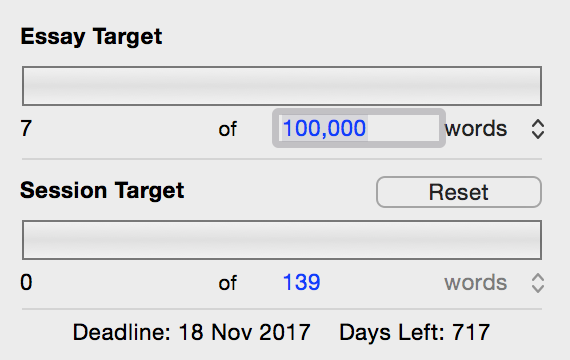
    phd_targetFinally I want to briefly touch on breaking work up in to small manageable sections. I know a lot of people are daunted by the prospects of writing large bodies of material. Quite a few first year students I meet wonder how they will write a 2,000 word essay. Later year students wonder how they could ever write a 3,000 word piece, let alone their 6,000 word project. Many in both categories are in equal parts shocked, awed and dismayed at the prospect of writing an 80-100,000 word PhD thesis. However, if these targets are broken down in to their relevant sections the overall scope suddenly appears more manageable. That 100,000 word thesis is really only 8 12,500 word chapters, and each chapter is really 5 2,500 word sections. All of which suddenly seem more workable. Plus if you keep breaking it down, and you end up daily, then that PhD thesis is only 139 words a day if you are working 5 days a week, 11 months a year for the nominal 3 year duration! Quite manageable really. The added bonus is that breaking your work down lets you see the flow of the argument better, and helps you stay coherent. But that is a topic for another time.

    Finally there are many good books out there to help you in this process. I have found three exceedingly useful, for both methodology and style. They are:

    Kidder, Tracy, and Richard Todd. Good Prose: The Art of Nonfiction. New York: Random House, 2013.
    Silvia, Paul J. How to Write a Lot: A Practical Guide to Productive Academic Writing. 1 edition. Washington, DC: APA, 2007.
    Zinsser, William. On Writing Well, 30th Anniversary Edition: The Classic Guide to Writing Nonfiction. New York: Harper Perennial, 2006.

    good-writing-is-hard-workUltimately though, as even William Zinsser admits ‘Writing is hard work.’ But if we write regularly, then the process comes a bit more easily, and rather than focusing on the writing task we can focus on writing style, which is arguably even more important. After all how can one edit and refine their work if there is no work there to edit in the first place. So focus first on getting words out on the screen or page and then perfecting them. Undoubtedly they wont come out exactly right the first time, or the second, or even perhaps the third, but get something out so you can work with it. In the vein of Confucious or Yoda, ‘to write a lot, you first have to write.’ Next week we will take a look at the second aspect of writing: style.
    Would love to hear your feedback and suggestions on how you write, and the processes you have for writing regularly. Tell me below, in the comments.

  • Why are some people just so obstinate? – Bayes Theorem & The Backfire Effect

    Why are some people just so obstinate? – Bayes Theorem & The Backfire Effect

    What do Flat-earthers, Anti-vaxxers, 9/11-conspiracists, Jesus-mythicists and Obama citizenship deniers have in common?

    Well, subconsciously at least, they all display a contempt for Bayes’ theorem, and arguably they strongly manifest the ‘Backfire effect.’ Welcome to another instalment of Cognitive Bias Wednesday, today looking at the ‘backfire effect,’ with a prelude on Bayes’ theorem.

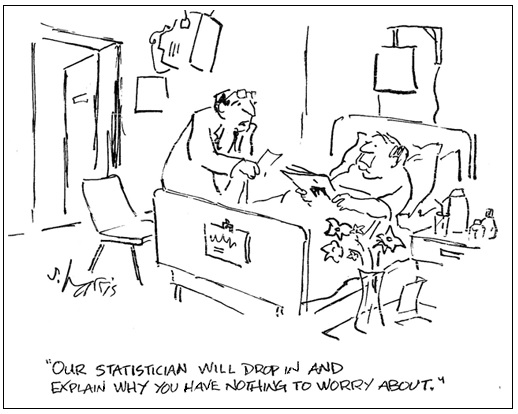
    statsWhy is it that even when presented with all the data and information, some people refuse to modify their beliefs? That even with all the weight of evidence that the world is round, or that vaccines don’t cause autism, that they refuse to budge in their beliefs, and even seem to become more set in their ways. While some of this behaviour is certainly conscious, at least some is also the product of a cognitive bias operating behind the scenes: the ‘backfire effect.’ This is also why most of the arguments that occur on the internet are relatively fruitless. However, before we get to the cognitive bias, it is worth having a brief journey through a neat cognitive feature, the theory of Bayesian inference.

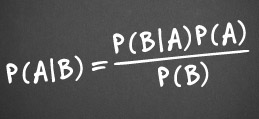
    bayes-theorem-equationThomas Bayes was a 18th century Presbyterian minister, philosopher, and statistician; and while he published works in both theology and mathematics, he is best known for his contribution to statistics, posthumously. His work on what would eventually become known as Bayesian probability theorem was only published after his death, and the impact of it would be completely unknown to him. While Bayesian modelling and statistics are applicable in a wide spectrum of fields and problems, from memory theory and list length effects that my previous lab worked on (MaLL),[ref]Dennis, Simon, Michael D. Lee, and Angela Kinnell. “Bayesian Analysis of Recognition Memory: The Case of the List-Length Effect.” Journal of Memory & Language 59, no. 3 (2008): 361–76.[/ref] through to Richard Carrier’s application to historiography,[ref]Carrier, Richard. Proving History: Bayes’s Theorem and the Quest for the Historical Jesus. First Edition edition. Amherst, N.Y: Prometheus Books, 2012.[/ref] and many more (just don’t get me started on the null hypothesis significance testing debate).[ref]Lee, Michael D., and Eric-Jan Wagenmakers. “Bayesian Statistical Inference in Psychology: Comment on Trafimow (2003).” Psychological Review 112, no. 3 (July 2005): 662–68; discussion 669–74. doi:10.1037/0033-295X.112.3.662.[/ref] The key factor for this investigation is in the Bayesian logic applied to the belief-revision loop. In lay terms Bayesian statistics can be used to predict how much someone will believe in a proposition when presented with a certain evidence set.

    lutececointossTake for example the good old coin toss test, suppose you have a coin with one side heads and the other tails. Logic and the laws of probability would indicate that it should be a 50/50 chance of being heads. But what happens if you flip a coin 5 times and get 5 heads in a row, well statistically speaking it is still a 50-50 chance, even though the probability of getting a long consecutive run trends with 2(n-1). What about if you get 92 heads in a row,[ref]Rosencrantz and Guildenstern Are Dead: Act 1[/ref] or 122 heads,[ref]Lutece Twins, Bioshock: Infinite[/ref] do the odds change then? Probability and statistics give us a clear no, it is still 50-50 no matter how big n is. However, if you ask gamblers at a casino, or for that matter most people on the street, you will get a startling response. Many respondents will say that as it is a 50-50 probability the chance of the next coin toss being tails increases to even out the overall trend. Why? Well it is a bit of a faulty belief-revision loop, and this trend is able to be predicted by Bayes’ Theorem. Using Bayesian inference and applying it to epistemology we can predict the modification of the belief loop and see that degrees of belief in the outcome of a coin toss will rise and fall depending on the results, even though the statistics remains the same. Furthermore, these modifications are overwhelmingly conservative in most people, and this should give us pause for thought when we find evidence that challenges our beliefs.

    But what does this have to do with the backfire effect? I hear you ask. Well the backfire effect is essentially where the Bayesian inference model of the belief-revision loop fails, and fails badly. Normally when people are presented with information that challenges their beliefs and presuppositions they engage in the Bayesian belief revision loop as above, and slowly change (even if slower than you would think). However, when testing how people respond to correction of misinformation Nyhan and Reifler found that, in some cases, rather than modifying their beliefs to accommodate or fit with the information that they have received, they instead clung to their beliefs more strongly than before.[ref]Nyhan, Brendan, and Jason Reifler. “When Corrections Fail: The Persistence of Political Misperceptions.” Political Behavior 32, no. 2 (March 30, 2010): 303–30. doi:10.1007/s11109-010-9112-2.[/ref]  Essentially in their tests the presence of correcting material for political misconceptions served to strengthen the misconception, rather than modify it. They dubbed this the ‘Backfire Effect.’

    Now this isn’t displayed by everyone in the populace, although I would argue that it works within our subconscious all the time. Some early research shows that the backfire effect commonly raises its head when the matters are of emotive salience. So even though some of the more amusing incidences of the backfire effect that are commonly highlighted involve people sharing satirical news stories from The Onion or Backburner as if they were real news articles, others are less benign. Indeed, for almost every amusing incidence of people not checking their Bayesian revision loops and falling prey to the backfire effect, there are just as many where people are strongly reinforced in their faulty beliefs on items that matter. One of the notable items recently has been the issue of vaccination, where I have seen several acquaintances strongly hold to the proven faulty and fraudulent research that ‘linked’ vaccines with autism. Here the overwhelming body of evidence finds no link between the two, and yet they strenuously hold to the link.

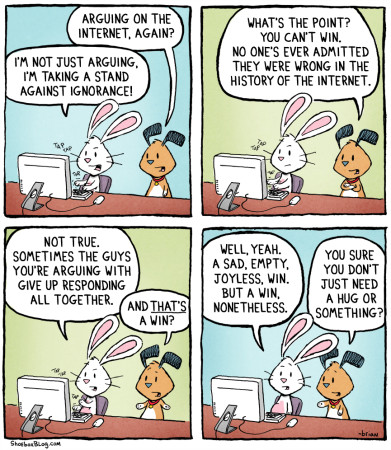
    arguing-internetSo what can be done about it? Well this blog post is one useful step. Being aware of the backfire effect should help us evaluate our own belief systems when we are challenged with contradictory evidence. After all we are just as susceptible to the backfire effect as any other human being. So we should be evaluating ourselves and our own arguments and beliefs, and seeing where our Bayesian inference leads us, with the humility that comes from the knowledge of our own cognitive biases, and the fact that we might be wrong. However, it should also help us to sympathise with those who we think are displaying the backfire effect, and hopefully help us to contextualise and relate in such a way that defuses some of the barriers that trigger the backfire effect.

    Please weigh in on the comments as to what you thought about my explanation of Bayesian inference and the backfire effect. Also let me know what other cognitive biases you would like to see covered.

  • Organising Your Research: Advanced Zotero

    Organising Your Research: Advanced Zotero

    Now where did I read that quote? What did that book say again? Was the argument in this chapter coherent?

    For anyone working in a research field I’m willing to bet that you have asked yourselves such questions, and it only gets worse the more you read. So after the post on Reading last Friday comes this timely post on how to organise what you have read. As with most items in our toolkit there are several different options for working at this stage of the process, however I’m only going to consider one today: Zotero. This is mainly because Zotero works at engaging with multiple different tasks in the research process. At one level it is a full fledged reference and citation manager, while at another it is a synopsis and summary database, and at yet another it is a library and database organisation tool. I feel that Zotero combines the best aspects of several other tools, and does it without a lot of the bugs or cost of some of the bigger names (cough Endnote comes to mind). Personally I use Zotero as a bit of a hub within my research process, articles and information get funnelled in and then spokes radiate out towards different tasks and then information is returned for further collation and use. This post is how I use Zotero.

    The Basics

    Simply speaking the basics of Zotero work as follows:

    • Import or add reference into Zotero from the various plugins and data sources (Amazon, Ebsco, PubMed, Libraries etc) or input by hand.
    • Cite reference in your text
    • Sit back and marvel at not having to manually format references.
    My Zotero Library
    My Zotero Library

    At the first level, that of making your work of referencing easier, Zotero does an admirable job. It is quick, easy to get data into, doesn’t crash regularly (Endnote should take notes), syncs over the web, and outputs in a wide variety of formats with little fuss. Even if this is all you use it for, it is a great time saver and helps with taming your citations from  brusque unruliness to a general surly attitude. However, Zotero is capable of so much more than this, and to leave the process here would be to hamstring the use of the tool. But first a brief caveat.

    Caveat: Zotero is exactly like every single other computer application, in that it is a bunch of mechanically executed code. [ref] ok some genetic algorithms excluded[/ref] It cannot think for itself, and while it has a whole bunch of smarts built in, it can only deal with the data that you feed it. So in true computer terminology it is susceptible to the failings of Garbage In, Garbage Out. Simply put if you feed Zotero, or any other program, garbage data, then expect garbage in return; it can only work with what you feed it. So if your citations have the wrong publisher, or incorrectly entered titles (yes capitalisation here counts), then you will get that out in return. This is the most common mistake I see with Zotero usage. I cant emphasise it enough, police and parse your data on the way in so you get well formatted, rather than unruly, data on the output. It is also worth noting that most library systems, including Library of Congress, and publisher data won’t conform exactly to your requirements. So things like the publisher ‘WB Eerdmans Inc.’ will need to be manually stripped back to ‘Eerdmans.’ This is extra effort, and is actually why I recommend that students only writing shorter essays (commonly ~2000 words) simply write and format their citations manually.

    Research & Organisation

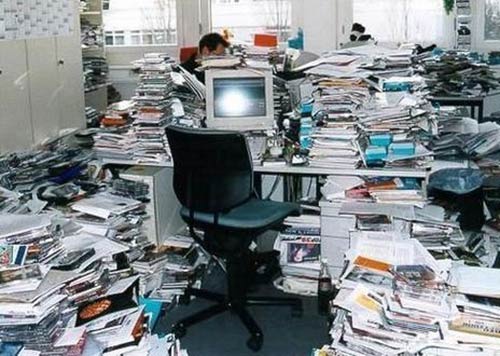
    messy-office-03That caveat aside, and arguably because of that caveat, we will continue on to the bigger and greater things that Zotero is capable of. If you are anything like me, you will probably dislike having a desk full of pieces of paper and various journal articles that have been read, or still yet to be read, or have been read but not summarised etc. For about 10 years of my prior research life this was my overwhelming bugbear. I would regularly lug a ream of paper around with various journals articles printed out, and swathes of postit tabs throughout them. These days I deal primarily in PDF, and digital highlighting and annotation make this process much easier. But how do you organise this information? All those a3532582920.pdf and pubmed_83928932.pdf, not to mention the assorted .epub files of Open Access books, and much more. Well this is the second phase of how to use Zotero, and where it comes into its own.

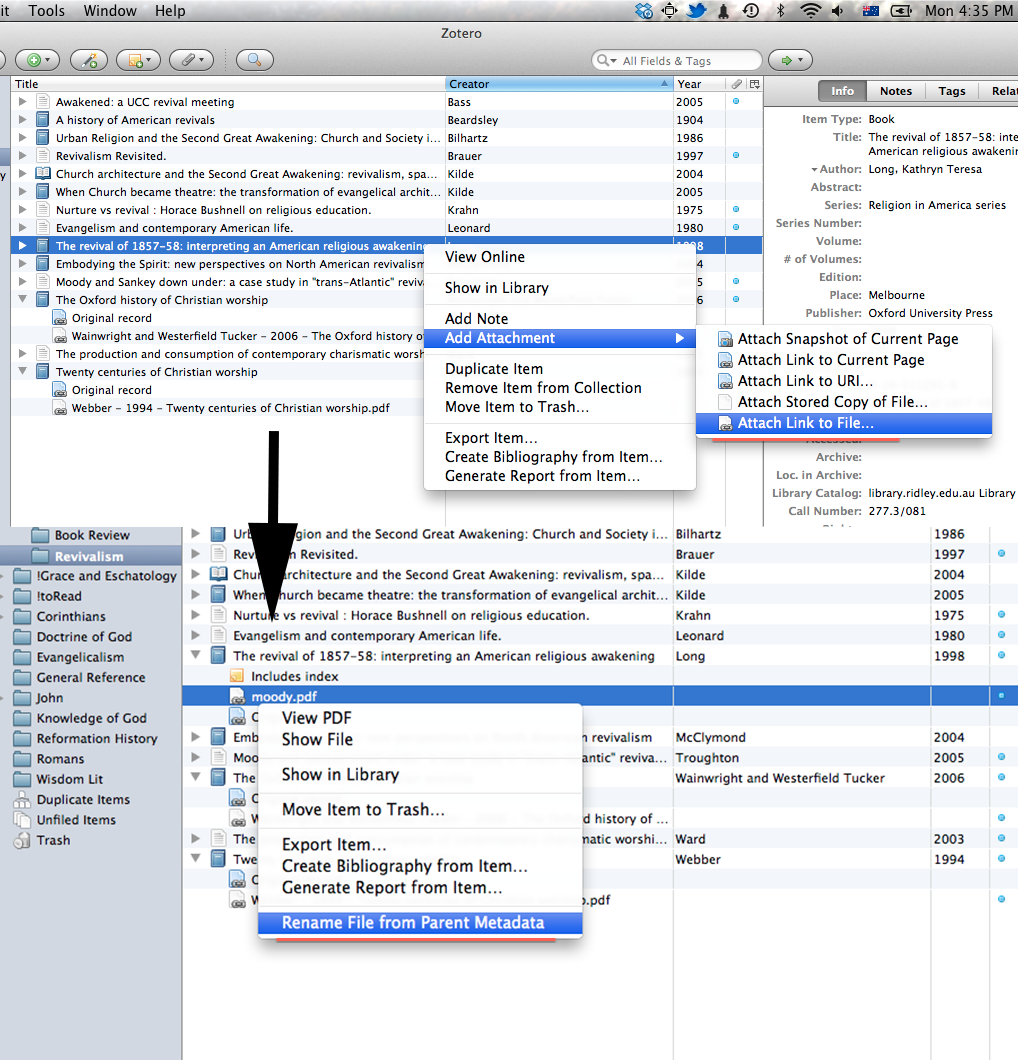
    RenameFileThe first feature is somewhat mundane: renaming. Once you have a reference in Zotero you can attach or link a PDF to the reference and simply rename the file from the metadata in Zotero. It’s a simple feature, but saves a bunch of time and effort.

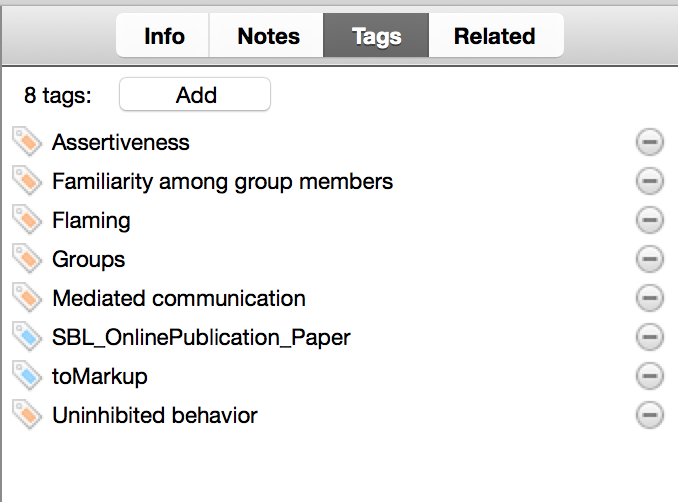
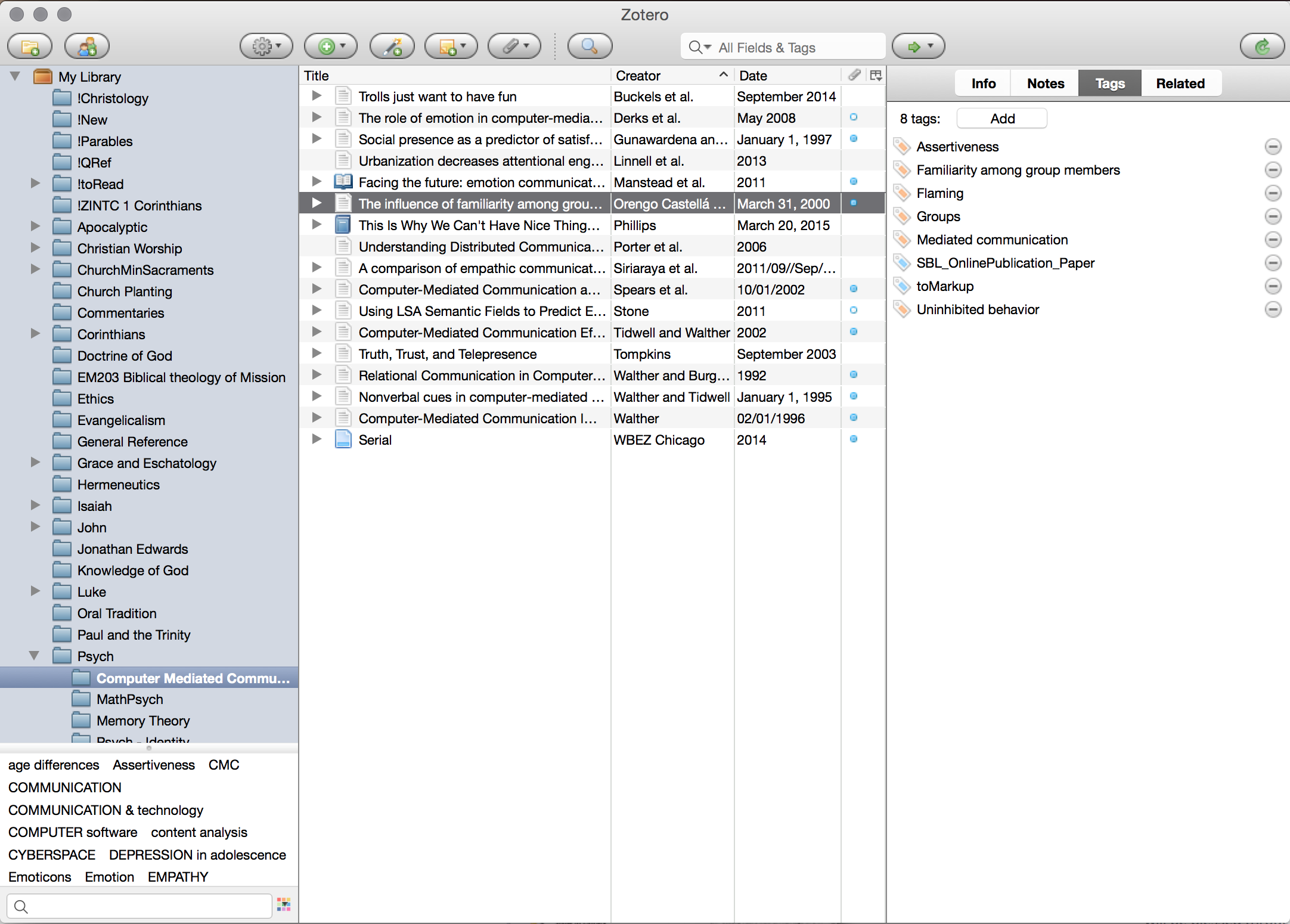
    tagsSecondly, and more critically, as a digital reference manager you can add all your references to Zotero, and then sort and organise them by two different methods. Firstly, you can sort them into categories. I predominantly use collections for thematic organisation, as you can see in my screenshot: ‘Christology’, ‘Luke.’ Furthermore these collections can be nested, as in my ‘Psych’ collection with various sub-collections underneath. The second way to organise your library is through the use of tags. I tend to use tags in three different fashions: topical, procedural, and project oriented. Topical tags simply delineate the various topics that are addressed by an article or book. Procedural tags generally mark whether something is yet to be read (toRead), or yet to be marked up (toMarkup). Project tags simply note that I used a certain article in a project I have worked on. The entire Zotero database is searchable by these tags so you can easily and quickly have an idea of what is yet to be read or marked up, or what you cited for a certain paper, or what deals with certain topics. Super simple stuff, but invaluable in being able to find material quickly when your library grows large.

    Documentation & Gathering

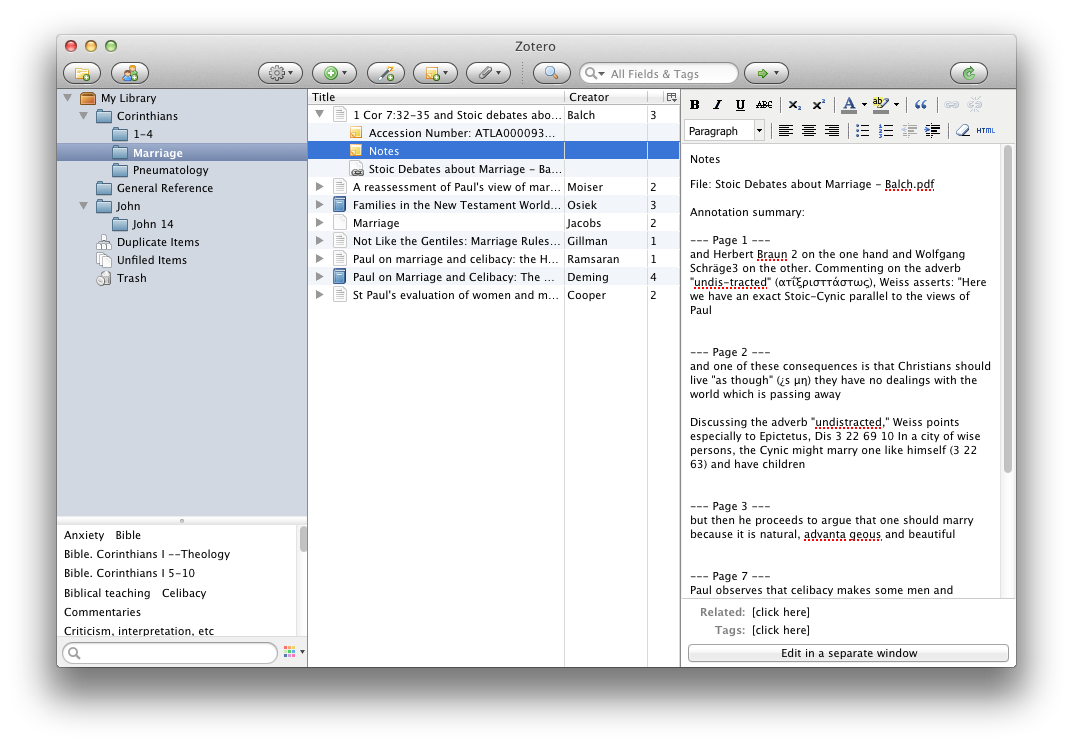
    zoteronotesThe penultimate phase of the Zotero experience comes in being able to collate and find your documentation and notes on all the books and articles. Within Zotero you can add ‘Notes’ for each reference. I use these notes in two ways. Firstly if I’m working with a digital resource tend to have a single note dedicated to all the highlights from that resource. You can extract these simply, and I’ll cover that in coming weeks. If it is a physical resource then I tend to transcribe either the full quote of interest, or briefly summarise the idea at hand, and note page number. That way the key pieces of information are easily at hand. This is the markup phase of my ’toMarkup’ tags above. Secondly, I also write a brief 50-100 word synopsis of each chapter or major logical section of the reference, in my own words. This allows for better memory retention of the material, but also provides a good reference synopsis of the work and therefore makes it easier to engage with at a later date. These Notes are stored alongside the reference and are synced across devices, and so are easily accessible anywhere. Furthermore, they are eminently searchable and while my office used to look like it was overflowing with a small dead forest, and previously I would be scrambling around in various manila folders and a whirlwind of post-it notes to try and find the source of a quote, I can now search for it in Zotero, and in pretty short order I have found the document I am after. This is one of the features of Zotero that I find invaluable these days.

    Output

    The final phase of my Zotero workflow is to actually output the references as citations in my documents. While Zotero does come with Word, LibreOffice and OpenOffice plugins, I find all of those word processors annoying and ultimately unsatisfying. I prefer to use Scrivener, which I will talk about in due course. But unfortunately Zotero doesn’t come with a default Scrivener plugin, although I’m hoping for one eventually. Rather you can use the RTF Scan feature of Zotero, which makes it useable with anything that can output in RTF format. In order to reference material you simply use the short code, consisting of {Author, Date, Page} or any one of the other short codes depending on your usage. You then run your output through Zotero and choose your stylesheet and bam, all your citations are done. It doesn’t get much simpler than that.

    The final note goes to the stylesheet functionality. There are many referencing formats out there, and Zotero is invaluable when you need to reformat an article or paper for a different referencing system. All you have to do is download the new stylesheet and apply it to the document. There is a whole database of Zotero stylesheet (CSL) files out there for various formatting systems, and the majority you can find here: https://www.zotero.org/styles

    If you are an SBL 2.0 user, you will find that the style on the repository is one that uses Ibid. notation. Given that the no-Ibid option seems to keep disappearing, here it is for posterity. society-of-biblical-literature-2nd-edition-full-notes-no-ibid

    6a00e5521e0b2e8833014e8a324438970d-800wi

    That just about wraps up this post on Zotero, as I said I find it the central hub of my research methodology. Although I’m sure that there are other tools out there. Perhaps Endnote has become the phoenix from the ashes and resurrected itself without crashing every 15 minutes, or perhaps you prefer a different tool. As usual I would love to hear your comments and what you use in the section below.

  • On the Reading of Whole Books – The Reading Process

    On the Reading of Whole Books – The Reading Process

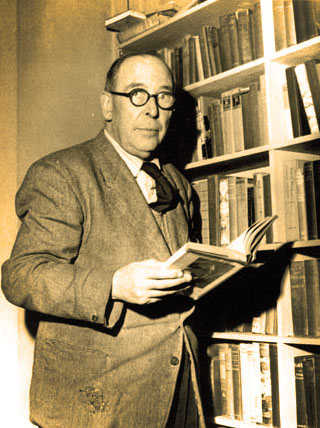
    CS-Lewis-on-the-Reading-of-Old-BooksIn the preface to a translated volume C.S. Lewis wrote an essay on the importance of reading old books, bemoaning the lack of application that many people of his era had for the reading of older books, instead preferring to read secondary literature. While Lewis’ essay still speaks powerfully to us today, with the trend of prioritising secondary literature over the primary sources having scarcely abated, I think there is another challenge afoot. Namely the challenge of reading whole books. For many the process of reading and absorbing information and research is a thankless and arduous task. So this task is shortened and condensed as much as possible, until most of what is read is mere snippets of the information. But it doesn’t have to be this way, and so this skills post is dedicated to the art and process of reading.

    Welcome to the second post in the Friday productivity and study skills series.

    Our modern culture has condensed the information gathering process into a series of bite sized snippets, in part exacerbated by the sheer volume of information that is accessible to us at any given time. News articles have been condensed from the long-form essay, to short columns, then pithy snippets, shared on Facebook, condensed into 140 character tweets, and subsequently regurgitated as 2-3 second sound bites. This reduction in our attention span severely impacts how we read and research as well. Several essays, papers and articles I have read over the years have quoted sections of an author without realising that the following paragraph contradicted their entire argument.

    One of the solutions for this is to simply read whole books.[ref]Thanks and HT must go to Rhys Bezzant, who constantly emphasises the need for this in his classes[/ref] While reading a single chapter, or skimming through a couple of pages of a book may glean required information, reading the whole book sets that information within the critical context of the argument. Reading a book from start to end gives the reader a sense of where the author is heading with the information. How the author is building their case to support their thesis, and whether that thesis is validly supported. It allows the reader to see progression within the material, and shows how the information that is sought after is integrated and relates to a bigger argument and sphere. The art of reading whole books leads to an appreciation of other people’s arguments and also serves to highlight some of our own cognitive biases. It also helps us to develop the patience and retrospection required to more fully analyse questions and arguments on the fly, without hastily responding to our own internalised straw-man of someone’s argument. In short: read whole books!

    cartoon_reading2Nevertheless the reading process can be hard, books can be too long, too dry, and plain old boring. What do we do with that sort of challenge, do we simply slog through a book because we started it? Actually I don’t think that this is a productive or healthy way of going. While I think we need to read more whole books, I am happy to acknowledge that not all books need to be read from cover to cover. Some are best used as reference works, even if they are not designed as such. Others are helpful to skim read through, for a gestalt picture of the argument, while extracting certain portions. Others are indeed best read cover to cover and pored over as you go. So how do we differentiate between the different types of reading? Tim Challies distills the reading method into seven categories: Studying, Pillaging, Devotional, Skimming, Stretch, Rerun, and Failed. [ref]http://www.challies.com/articles/7-different-ways-to-read-a-book[/ref] I think his broad categories are useful in thinking about our reading process and his blog post is worth a read. But here I want to focus on just three: Studying, Stretch and Failed.

    Studying

    For most students and academics the default mode of reading is studying. Quite commonly when I sit down to read something I have this strong urge to pick up a pen or highlighter. I’m sure many can empathise with this urge. However, there are many books that don’t need to be studied, and it can be quite cathartic to read something where you consciously make a decision not to study it; I have to do this periodically. Generally I pick biographies or unrelated histories for this.

    For general studying there are many methods to make your reading time more efficient, and as per usual not all will work for everyone. One key element of most studying methodologies is being able to mark up the text and then synthesise summaries. Personally I use two methods for markup, one for personal books and one for borrowed books, but the schema is the same. I use a four mark system for scheme for Important, Agree/Quote, Disagree/Investigate, and Bias/Presupposition. In books I own these generally take the form of scribbles in the margin, a combination of lines, double lines, question and exclamation marks, usually with a single colour post-it tab to mark the point in the book. Borrowed books get a series of small reusable and non-marking post-it tabs at appropriate points in four different colours, generally yellow, green, red and blue respectively.

    At the end of reading a book it is good to synthesise a summary of the information. Not only does this reinforce the learning, but also serves as a useful reference for where ideas and quotes have come from later. I generally synthesise per chapter, the book as a whole and transcribe the quotes I am after. If a quote stands out as being particularly pertinent I commonly archive it off separately in a ‘quote database’ for easy access. The summarised synthesis of each chapter gets archived within Zotero for later access, more on that in the tools day on Zotero. The practice of synthesising summaries is invaluable for reinforcing the material, and if archived well helps for later access. If you are reading multiple books on similar topics then a synthesis matrix may be an option. I have used various matrix schema in the past, and have recently come across this one from NC State: Synthesis Matrix.pdf. I think I will use this matrix for an upcoming lit review, it may be useful for you too.

    Screen Shot 2015-02-12 at 8.38.39 pmStretch Reading

    Often I feel that we don’t think big enough in our reading, and this is where stretch reading can come in. When is the last time you picked up a book that really stretched your reading habits? Personally my stretch reading is a goal based reading and usually I conduct it over a whole year. I pick something that I wouldn’t otherwise have the time to read cover to cover, and simply set the goal of reading it over the course of an entire year. A few years ago I read through Calvin’s Institutes in their entirety, and over the last two years I have read through Barth’s Church Dogmatics. Now with works of this size you inevitably cannot study them thoroughly and meditate on each sentence, but the act of pushing through and reading them cover to cover over a longer period not only broadens the reading sphere, and increases your knowledge base, but also gives good discipline in sitting down each day or week and just reading something. I find it a very enjoyable long term goal. Next up is N.T. Wright’s Christian Origins series. It may take a while, but that’s ok. After all it’s not called ‘stretch’ for nothing.

    Failed Reading

    Sometimes a book is just so boring, uninteresting or irrelevant that you just can’t summon any will power to go on. Sometimes you just need to put a book down and admit defeat. It can be hard to do, especially if you are an avid completionist. But I think it is an important skill to learn, and especially to discern what the appropriate point to shoulder arms is. Giving up too early can be problematic, as some books take time to reach their stride, while giving up too late simply wastes time. What is the appropriate time? I’m not sure there is any specific recommendation there, but perhaps just to acknowledge that setting a book aside incomplete is not a terminal failure, but rather a tactical surrender.


    Those three categories are the ones I think are the most useful for our train of thought in the reading process. In addition there has been some interesting recent discussion over the elements of reading on screen or on paper, and personally I’m undecided. Some books and articles are better on paper, while others are invaluable digitally. There is an interesting article by Oxford University Press on this topic here: http://blog.oup.com/2015/02/reading-on-screen-versus-paper/ and while I note that they focus on university students they don’t seem to control for the type of writing. They do note that even the smell of a book invoked an emotional response, but I cant remember the last time the smell of a boring text book made it any less boring. Nevertheless I suspect that is a debate that will continue for a while.

    But there is one aspect of the reading process that I haven’t covered, although I have hinted at it: Writing. It may seem somewhat non-sensical to lump in Writing as part of the Reading process, but I think it is a critical part. However, that explanation will have to wait for next Friday.

    Do weigh in on the comments below as to your thoughts on the reading process.

  • Why is everyone else so incompetent? Attribution Errors – Bias Wednesday

    Why is everyone else so incompetent? Attribution Errors – Bias Wednesday

    ‘Why did that person just run that red light? They obviously don’t know how to drive.’

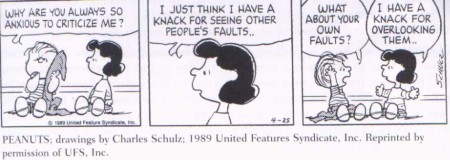
    We hear it all the time, the tendency to attribute malice or incompetence to another individual or group, when if it was us doing the action it would be merely an accident: ‘I just didn’t see it.’ Welcome to the second edition of Cognitive Bias Wednesday. While there are many reasons for this tendency, a lot of them stem from a suite of cognitive bias known as Attribution Errors, with the Fundamental Attribution Error (FAE) at their root. Simply put it is the tendency for people to emphasise internal decisions and characteristics for other’s negative actions, while emphasising external factors for their own negative actions. FAE pops its head up in a wide variety of situations, and we probably unconsciously express it every day, it is one of the most powerful decision rationalisation biases.

    peanuts

    One classic study of the FAE looked at drinking rates amongst adolescent males, and took two observations: firstly, how much an individual drank, and secondly whether they thought that their peers drank more, the same, or less than them.[ref]Segrist, Dan J., Kevin J. Corcoran, Mary Kay Jordan-Fleming, and Paul Rose. “Yeah, I Drink … but Not as Much as Other Guys: The Majority Fallacy among Male Adolescents.” North American Journal of Psychology 9, no. 2 (June 1, 2007): 307.[/ref] While actual drinking rates across the group averaged similarly, the attribution of drinking rates amongst the peers was strongly externally inflated. As seen in the title of the study ‘I drink … but not as much as other guys.’ While not attributing incompetence or malice, the negative perception of drinking rates is externally magnified and internally denied. This is despite the drinking rates remaining relatively steady across the cohort. We have the tendency to attribute our own negative characteristics externally, and attribute other’s negative characteristics to their internal space.

    1325563668658_882818Furthermore this is only exacerbated when it is brought into a social setting. While the nature of the FAE is powerful on an individual level it is stronger again amongst groups. The expanded bias, creatively named Group Attribution Error, sees the attributes of the out-group as being defined by individual members of that group. We met this bias briefly in the post a couple of weeks ago on Cyclists vs Motorists and Intergroup biases. This is further expanded again with Pettigrew’s, again creatively named, Ultimate Attribution Error (one must wonder where to go after this). While FAE and GAE look at the ascription to external and out-groups primarily and discard most internal and in-group data, Ultimate Attribution Error seeks to not only explain the demonisation of out-group negative actions, but explain the dismissal of out-group positive behaviours. Interestingly many of the studies that support Pettigrew’s Ultimate Attribution Error look at religio-cultural groups as their case studies, such as the study by Taylor and Jaggi (1974), or later studies on FAE/UAE and suicide bombing (Altran, 2003).

    Excursus: One brief and curious aside is that according to one study Protestants appear to be more internally focused, lower rates of FAE/GAE, in comparison with Catholics who are generally externally focused, with higher rates of FAE/GAE.[ref]Li, Yexin Jessica, Kathryn A. Johnson, Adam B. Cohen, Melissa J. Williams, Eric D. Knowles, and Zhansheng Chen. “Fundamental(ist) Attribution Error: Protestants Are Dispositionally Focused.” Journal of Personality and Social Psychology 102, no. 2 (February 2012): 281–90. doi:10.1037/a0026294.[/ref] The authors theorise that this is due to an innate greater emphasis on the soul within Protestantism. I will have to look more into their article, and perhaps post on it later.

    Excursuses aside, how do these attribution errors affect day to day research and study? One of the ways I think they powerfully affect good academic research and debating is when it comes to the assignment of scholarly labels within academia. I sometimes have students come to me asking if I can point them towards material that is ‘more liberal’ (in the theological sense). Now while I applaud students for wanting to seek alternative views to their own, the level of out-group attribution of ‘liberalism’ commonly leads to a flimsy disagreement with the argument at hand. Commonly it goes like ‘I disagree with this argument because its a liberal argument, and therefore…’ Conversely it works in the opposite fashion ‘I agree with this [flimsy] argument, because we are part of the same group.’ A similar bias is found in several recent articles on the religion and science interface. The argument there commonly goes ‘Religion introduces bias, therefore no confessionally religious people can debate this topic.’ The attribution of innate bias to an out-group, in the same fashion that incompetence is attributed to an observed poor driver, is at play here.

    Being aware of our tendency to attribute negative internal characteristics to an out-group participant should help us assess things better in two ways. Firstly it should help us to assess arguments and evidence on the grounds that they are presented, not on the group that they are presented from. In short play the game not the person or group. Stick to the argument and evidence that is set forth and assess it on those grounds, whether you agree or disagree with the person or group who is promulgating it. Secondly, it should help us see blind spots within our own research and work. If we are constantly assessing others based on the same qualities, then we are more likely to be critical with our own research based on the arguments and evidence, rather than letting it float on in-group support.

    Attribution errors can be extremely hard to overcome, but knowing about them certainly helps. Hope you have enjoyed this Cognitive Bias Wednesday, as usual weigh in below on the comments!

  • Getting Things Done: Task Managers, Calendars & Focusing

    Getting Things Done: Task Managers, Calendars & Focusing

    Productivity can be hard, almost like murder. But there are ways of making things easier, various tools that are accessories to productivity. We have all been there, a ton of things to do, but no idea on where to start or in what order to do things. Plus all the little to-do lists on post-it notes are spread all over the monitor begging for you to do them. What do you do? Welcome back to our Monday series, and after the Friday post I hope you are feeling a little more organised. This post will go through some of the supporting tools for getting things done, specifically task managers, calendars and focusing tools.

    Task Managers

    whatsnextcatOne of the perennial issues of doing things is knowing what there is to be done. However we humans tend to be fairly rubbish at remembering arbitrary lists, and even when we can they certainly take up cognitive space. This is where the humble to-do list comes into  own, a simple list of tasks that can be ticked off as you go. It relieves cognitive load and helps you remember the groceries. But there are also significant disadvantages with the paper to-do list, while I know many people who still use folded sheets of paper, the tendency is to trend towards more and more sheets of paper. Nevertheless, the humble sheet of paper is an excellent place to start, as for some people it is a perfectly workable solution.

    Personally I find having eleventy-billion-and-four pieces of paper jammed in various places a bit unwieldy so I prefer to use a task manager, and I suspect many of you will too. First though some task manger basics. Of course task mangers are only as good as the information you put in them, as with most if not all, pieces of software it is a case of garbage-in leads to garbage-out. Most of the time the best way to work is to put everything into a task manager, be they the little snippets of things you need to do, phone calls that you need to make etc, through to your big projects. However, one important caveat in this realm is that categorisation is king. If you have a bunch of tasks that go together, try to tie them into a single category rather than having them strewn throughout your task manager. Some productivity schemas (GTD I’m looking at you) recommend you put absolutely everything into an inbox and then file them as needed. But I think that logging every minute detail can lead to analysis paralysis, or list-mania, where the maintenance of the list actually takes longer than doing the tasks on it. There is a balance there between logging absolutely everything, and only logging the major things. You want your tasks to be fine grained enough that you don’t forget to call contractors, or get papers written, but not so fine grained that it clogs up with milk and bread. That balance is for you to find. Personally I err on the side of logging more items, but I can tend to be forgetful of minor tasks otherwise.

    Onto the tools themselves then, and there are ton of them, both free and paid. Personally I use an app called Things by Cultured Code, but if you have to buy all the separate components of it (desktop, iPhone and iPad) it costs a motza. So there are some free ones as well. Note that this list is relatively heavily Mac focused, although alternatives can always be found. A good site for this is http://alternativeto.net where you can search and filter by platform. These are my top three task management tools.

    Things-appThings

    Things is my go-to task manager, and I have been using it for a while. I put 99% of my tasks in here, with some shared tasks going into Asana for church. It’s relatively simple and allows for a series of categories (called Projects) to be set up to filter out the tasks as needed. Tasks can be given deadlines, and shifted to the ‘Today’ area when they need to be done. Importantly Things is also a cloud sync-able app and so you can keep your tasks at hand no matter where you are. However, it comes with a hefty price tag, about AU$80 if you buy all three apps retail. It’s excellent at what it does, but the price tag makes me hesitate about recommending it widely. In addition it’s Mac only. If you really want it look for discount codes, and combine those with deals on Apple store gift cards.
    Things – Mac only – http://culturedcode.com/things/

    Wunderlist-iconWunderlist

    The second app on my list is Wunderlist, a competitor to Things. Now Wunderlist was really in its infancy when I came across the super discount codes on Things, and so I went down that path. However, from friends who use Wunderlist regularly it seems to have matured significantly since I last used it, and is a real competitor now. In fact given the sharing capability and cross-platform nature of Wunderlist I would recommend it as a good and mature task manager. Oh did I mention it is free… yeah, thats right, it costs nada. If I had my time around again, and with the benefit of hindsight bias, I would likely have gone with Wunderlist.
    Wunderlist – Multi-platform – https://www.wunderlist.com

    asana-projectAsana

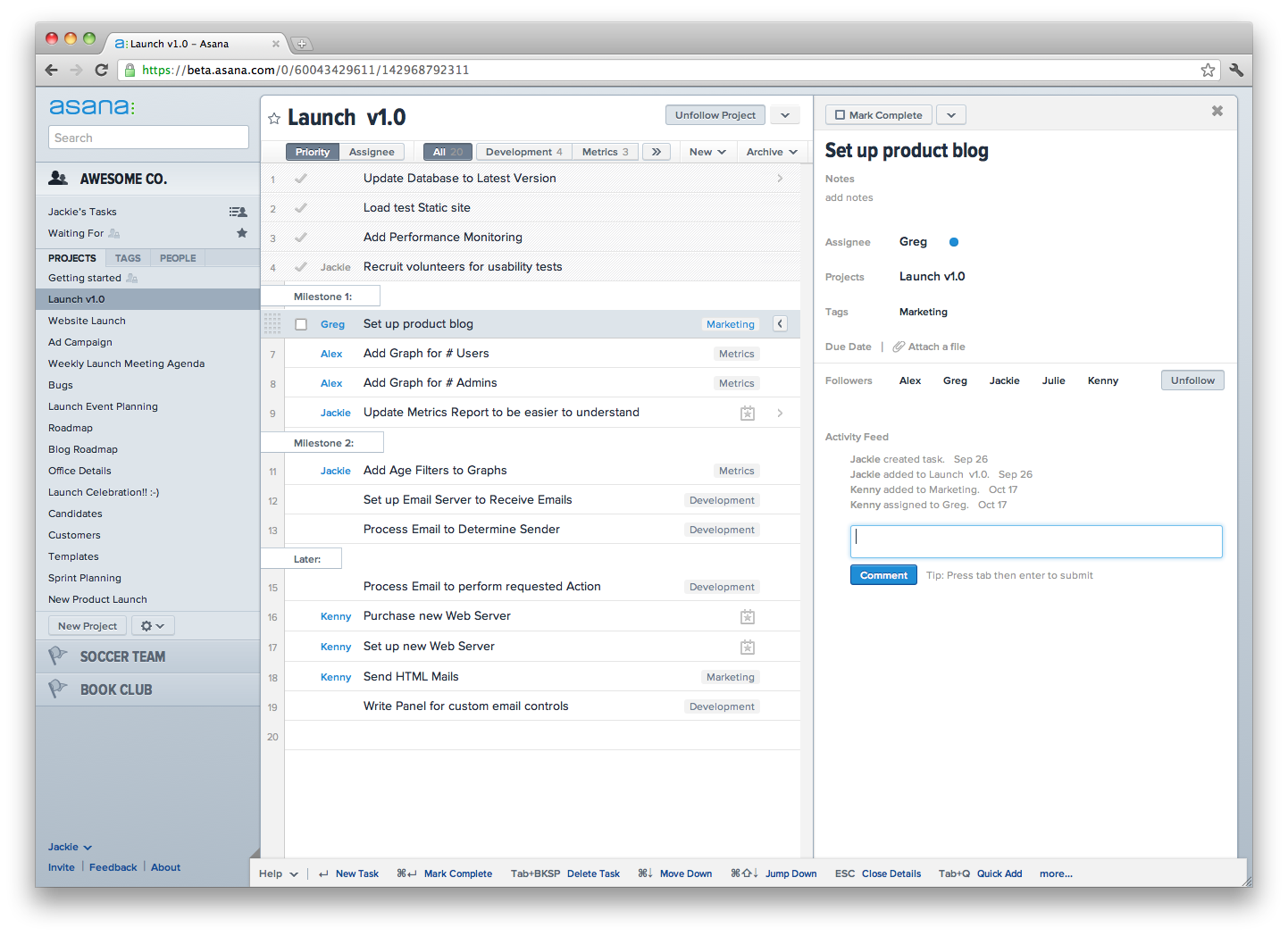
    Asana is really the new kid on the block, but it’s rapidly gaining traction, and it uses a different methodology to the two apps above, being web based rather than in-app.  However, it is aimed squarely at small organisations rather than individuals, and this is where I use it regularly. At an organisational level it has the ability to encompass a wide range of tasking and meeting planning and is exceedingly useful in that capability. On the surface at an individual level it doesn’t offer much more than Things or Wunderlist, but in its delegation and project tracking it really shines. If your task management requirements tend more towards the small office or organisation, then look no further. It is also free for under 15 users in a group.
    Asana – Cross-platform – http://asana.com

    Now that you have your tasks sorted out it can still be somewhat overwhelming knowing what to do. The best way to start is to simply spend a few minutes at the start of a day looking through the tasks and deciding what is to be done that day. Most task manger allow for a ‘Today’ type function where you can mark them down as needing to be engaged with. Use this wisely, don’t overload yourself with a ton of tasks for the day, but also don’t set your goals too low. Again, the personal balance is up to you.

    calendar2Calendars

    While many of us keep a diary or calendar, it’s probably worth having a brief note on how important they are. If you don’t already keep track of meetings and other items in a diary or calendar, then I have only one things to say to you: DO IT. Again I know many people who keep this physical, including one good friend who carries a small wall calendar everywhere with him (respect, you know who you are). But if you want to do it digitally then again there are a host of options. Realistically it comes down to three architectures: iCal based, Google based, and Outlook based. Outlook is really only an option if you are already bought into the Microsoft environment, and if you are and it works for you, then use it. iCal (Calendar etc) is tied to the Apple ecosystem and so is restricted there, wheras Google is relatively cross-platform. Either way, use what works for you. The key here is to use it, put your deadlines in the calendar, put birthdays in, everything you need to remember that has a date attached.

    Focusing Tools

    Finally for this post, before it runs away for another thousand words or so: focusing tools. Now that we have set down the things that need to be done (DARE from last week) and enumerated them in our task manager, we need to do them. As per usual there are a ton of distractions and things that are competing for our time. Briefly though there are a couple of tools that can make the distractions a bit more manageable.

    Pomodoro_timerPomodoro Technique (aka How Tomatoes Can Help You Work)

    There is a stream of research that shows that many people are best served by working intensely for short periods with a subsequent break.[ref]Tambini, Arielle, Nicholas Ketz, and Lila Davachi. “Enhanced Brain Correlations during Rest Are Related to Memory for Recent Experiences.” Neuron 65, no. 2 (January 28, 2010): 280–90. doi:10.1016/j.neuron.2010.01.001.[/ref] One technique based on this theory is known as the ‘Pomodoro Technique’, based upon working intensely for 25mins (called Pomodori) and interspersed with 5min breaks. Why it is named after the Italian for tomatoes is anyones guess, but the technique works pretty well. Just set a timer for 25mins and then take a 5min break at the end of that. There are few apps that are really useful for doing this, but the one I use regularly is called Eggscellent (more logically named after an egg timer). Again it’s a Mac only app, but there are plenty out there in PC land. Do try the Pomodoro technique, I find it invaluable and really like it.
    Eggscellent – Mac only – http://www.eggscellentapp.com

    logo-2Self Control (for those who don’t have it)

    Finally however, sometimes the temptation of MyFaceSpace, SnapBookTweets and your favourite blog gets all too much. Well if your reserves of self control are running low, then there is a helpful app based solution for you. Essentially it’s canned Self-Control. Basically Self-Control will block certain websites completely and inexorably for as long as you want it to. It is able to be set on a timer, and so is useful in combination with a Pomodoro timer to assist in maintaining focus on the task at hand. It is exceedingly hard to disable in that time (it’s possible, but I won’t tell you how), and so can be valuable when the will is waning. If you are on Windows then Cold Turkey does a very similar job.
    Self-Control – Mac only – http://selfcontrolapp.com
    ColdTurkey – Win only – http://getcoldturkey.com

    There we have it, the first tools in our toolkit. I would encourage you to pick out a favourite task manager and set about laying forth your tasks, start organising your calendar and thinking about the year to come. Perhaps even indulge the Pomodoro Technique as you do this, see how much of that you can get done in one pomodori.

    How effective do you find these things? I am interested to know how you work with this part of the toolkit, weigh in below.